
Journals
Some breaks are fixed by an entry in the books: bank charges the bank took and the books do not have yet, interest, a rounding difference. A journal is that entry. RefinePoint raises journals from reconciliation records (or you write one by hand), a second person approves them, and they are posted to your accounting system. They are in Close and accounting → Journals.
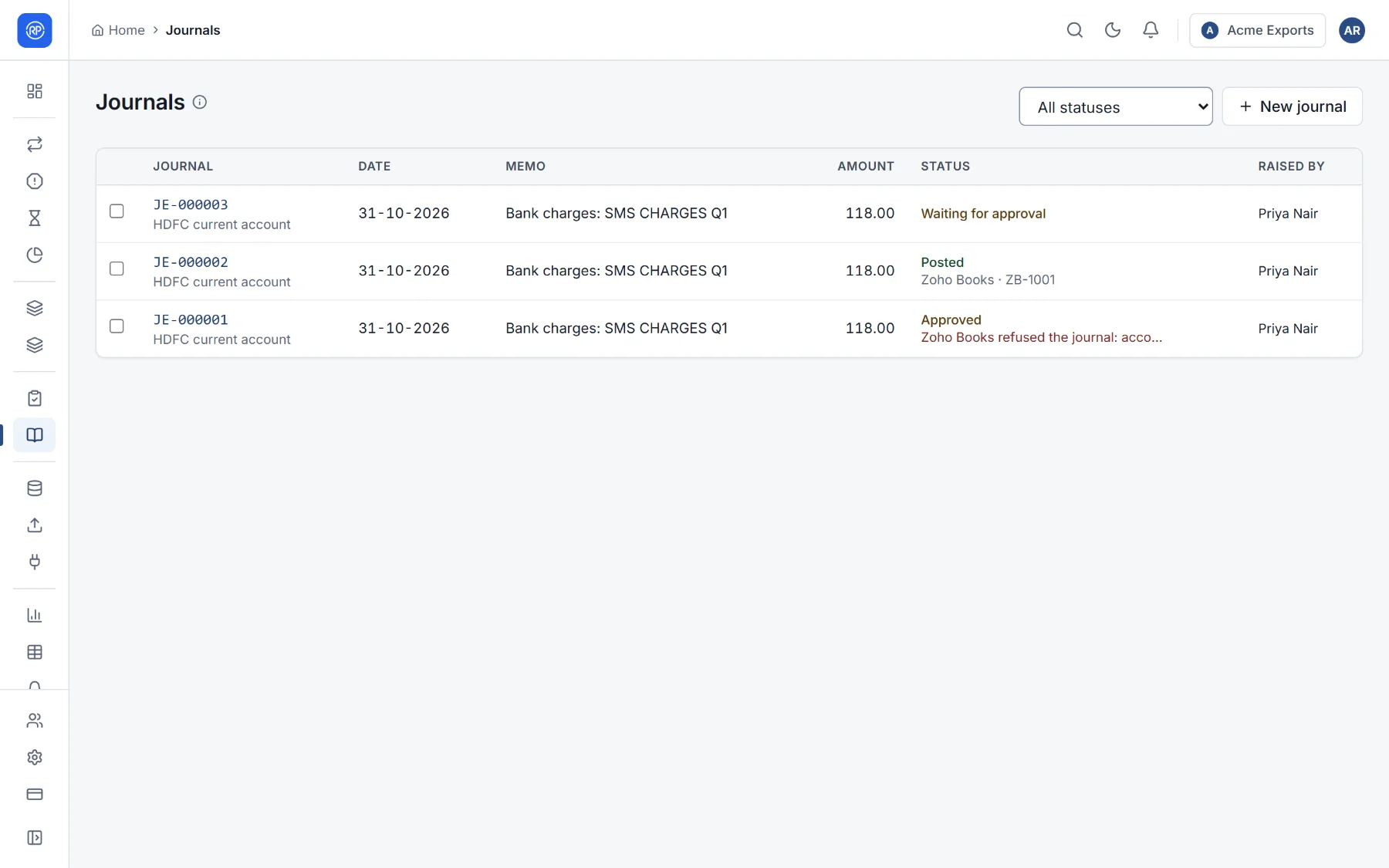
The life of a journal
Section titled “The life of a journal”| Status | Meaning |
|---|---|
| Draft | Being written. |
| Waiting for approval | Submitted; someone else must approve it. |
| Approved | Ready to post. |
| Posted | In your accounting system. |
| Rejected | Sent back, with the reason. |
Raising journals from records
Section titled “Raising journals from records”- On Results or Breaks, tick the records, such as three bank charges.
- Choose Raise journals.
- Choose the rule, or leave it automatic (each record’s first rule whose condition holds), and the journal date. Optionally, one journal per rule, adding up the records, instead of one per record.
- The journals are created and wait for approval. Records no rule applied to are listed.
A journal
Section titled “A journal”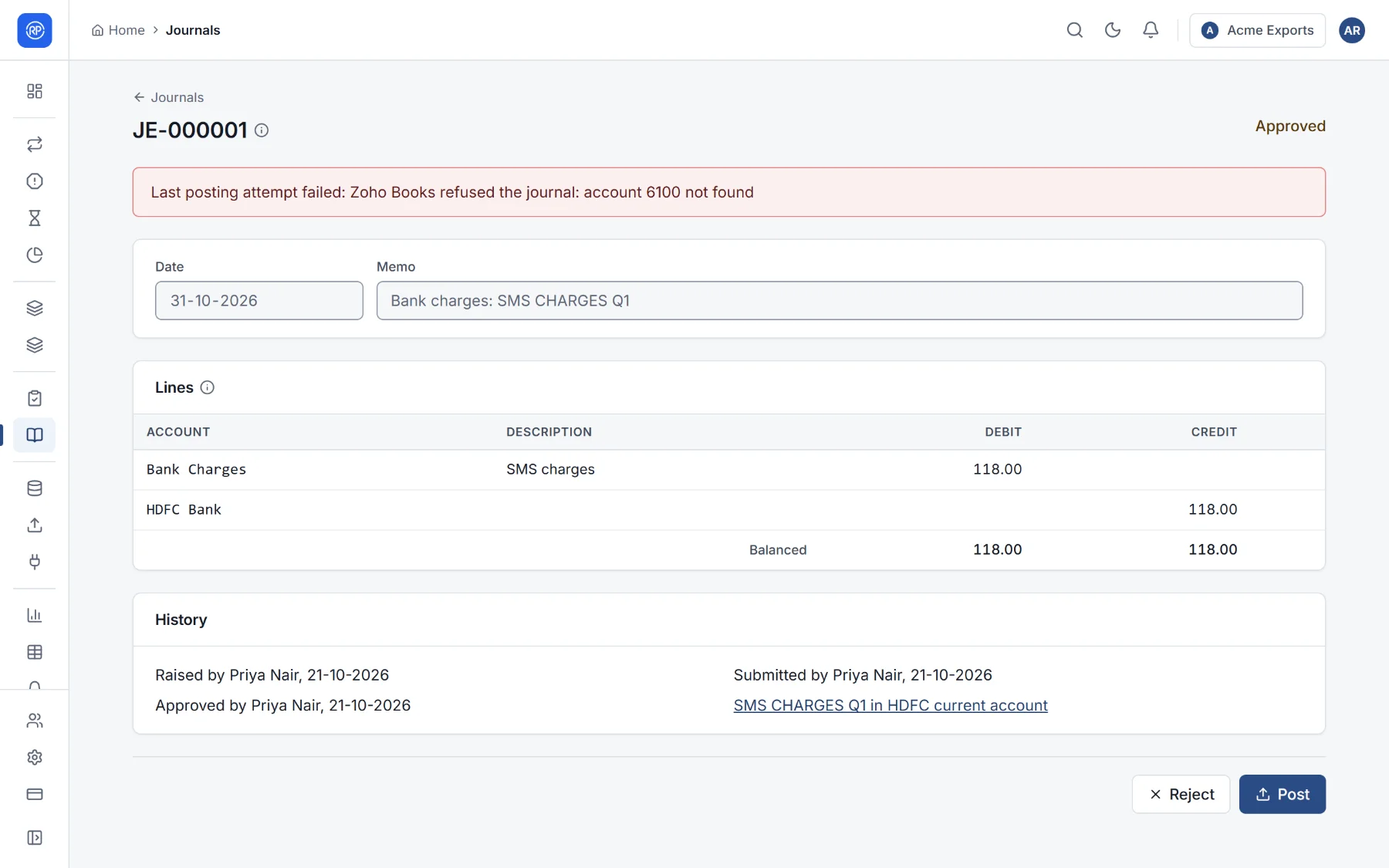
A journal has a date, a memo and lines. Each line has an account, a description, and a debit or credit. Accounts are written as your accounting system knows them: a ledger name in Tally, an account id in Zoho Books and QuickBooks, an account code in Xero. The lines must balance.
- Submit for approval when it is ready.
- The approver chooses Approve or Reject (with a reason).
- Post sends an approved journal to your accounting system: choose where to post to (Tally, Zoho Books, QuickBooks or Xero, connected under Connections). If it was entered elsewhere, choose Already posted elsewhere and give its reference in the accounting system, such as Jrnl/1043.
- History shows who raised, approved, rejected and posted it, and when.
You can also download journals as a Tally import file, or as CSV.
Journal rules
Section titled “Journal rules”Settings → Journal rules decide which records raise which journal. Rules are tried in order; the first whose condition holds raises the journal for a record.
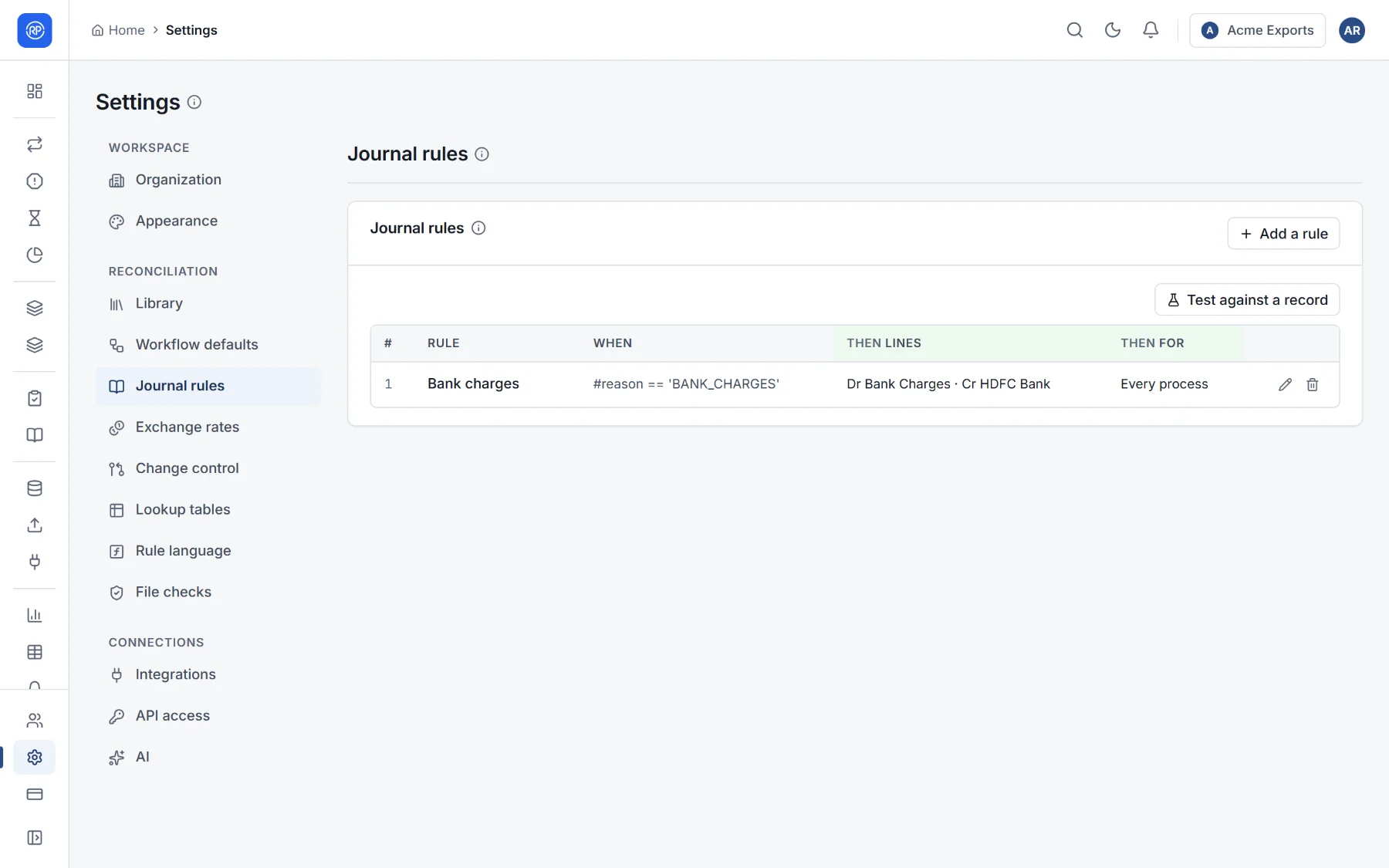
Each rule has:
| Setting | Meaning |
|---|---|
| Name | For example Bank charges. |
| When the rule applies | A condition, such as reason is 'BANK_CHARGES'. Empty: always. |
| Lines | The accounts, sides (debit or credit) and amounts: the record’s difference, its amount, or an amount you write as a rule. A negative amount swaps debit and credit. The lines must balance for every record. Line descriptions can use the record’s values, such as {reference} {party}. |
| Once posted, move the records to | Optionally, a workflow state that settles the records, with the journal as the reviewer. |
| For which processes | The reconciliations the rule is for. |
Test against a record tries the rules on a real record before you rely on them.
Raising, approving, rejecting, posting and exporting journals, and managing journal rules, are separate permissions (area Journals in the permissions reference).