
Sides and data preparation
A side is one of the datasets being compared. Most reconciliations have two sides (the bank statement and the cash book). Some have three or four: an online payment can be traced from the order, to the payment gateway, to the bank, to the ledger. A reconciliation can also have a single side, to check one dataset on its own (no duplicates, every balance follows from the one before).
Sides are set up in step 2 of the designer.
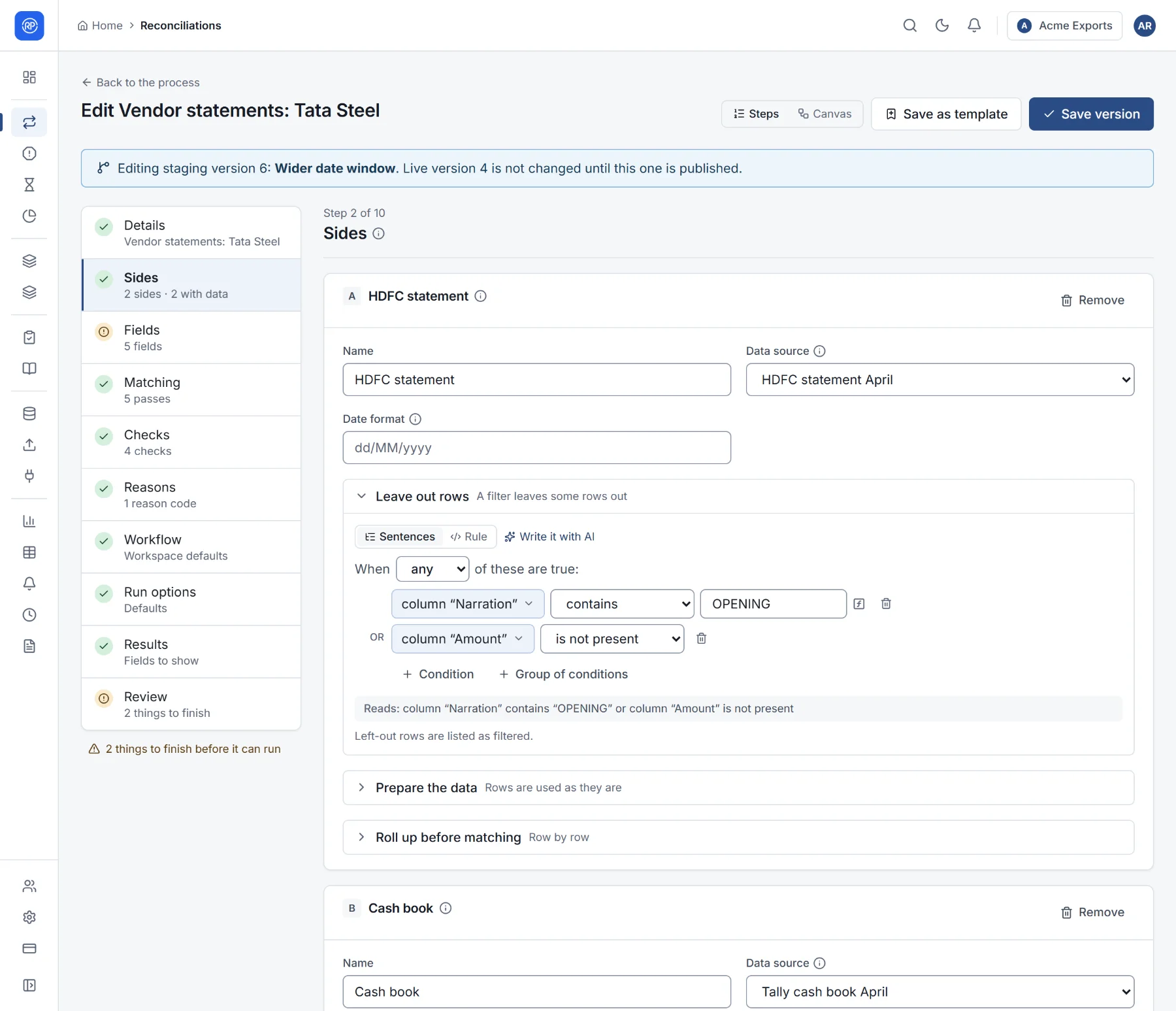
Each side’s settings
Section titled “Each side’s settings”| Setting | Meaning |
|---|---|
| Name | What the side is called everywhere: Bank statement, Cash book. |
| Data source | Where its records come from. See Data sources. Columns are then mapped from what your workspace mapped before and from similar names; you check them on the next step. |
| Date format | Only needed if dates are written month first or in an unusual way, for example MM/dd/yyyy. Day first is assumed. |
Add a side adds another (up to four); the bin icon removes one.
Leave out rows
Section titled “Leave out rows”Rows you never want to match, such as opening balance lines or a total row, can be left out with a condition, for example Narration contains ‘OPENING’. Build the condition from sentences or write it as a rule. Left-out rows are not lost: results list them as filtered.
Prepare the data
Section titled “Prepare the data”Files are rarely clean. Preparation steps fix the rows before they are mapped and matched. They run in the order listed; use the arrows to reorder them.
| Step | What it does | Example |
|---|---|---|
| Drop rows where | Removes rows that meet a condition. | column "Narration" is 'Opening balance' |
| Keep only rows where | Keeps only rows that meet a condition. | column "Account" is '50200012345' |
| Set a column | Creates or overwrites a column, worked out from the others. | A clean reference from the narration |
| Replace text | Replaces a pattern in one column (a regular expression). | Remove leading zeros: pattern ^0+, replace with nothing |
| Split into rows | One row per value, when a cell holds several. | A payment listing several invoice numbers |
| Trim spaces | Removes spaces at the start and end. | In the columns listed, or all if none are listed |
| Upper case / Lower case | Changes the case of letters. | — |
| Fill blanks from above | Copies the value from the row above into empty cells. | Statements that print the date once per day |
| Remove repeated rows | Keeps one of each set of identical rows. | Rows equal in the columns listed |
| Rename a column | Gives a column a new name, so later steps and mappings use one name. | — |
| Drop empty rows | Removes rows with no value at all. | — |
Most steps can have a condition, so they apply only to some rows. With no steps, rows are used as the data source holds them.
Roll up before matching
Section titled “Roll up before matching”Sometimes one side has many rows for what the other side has as one: card sales per transaction against one bank credit per day, or trades against positions. Roll up before matching combines rows into one per group: choose the fields that make a group (for example Date), and amounts are totalled within it.