
Workflow, run options and results
Steps 7, 8 and 9 of the designer decide what happens around matching: who works the breaks and by when, how runs treat data that spans periods, and which columns the results show.
Workflow
Section titled “Workflow”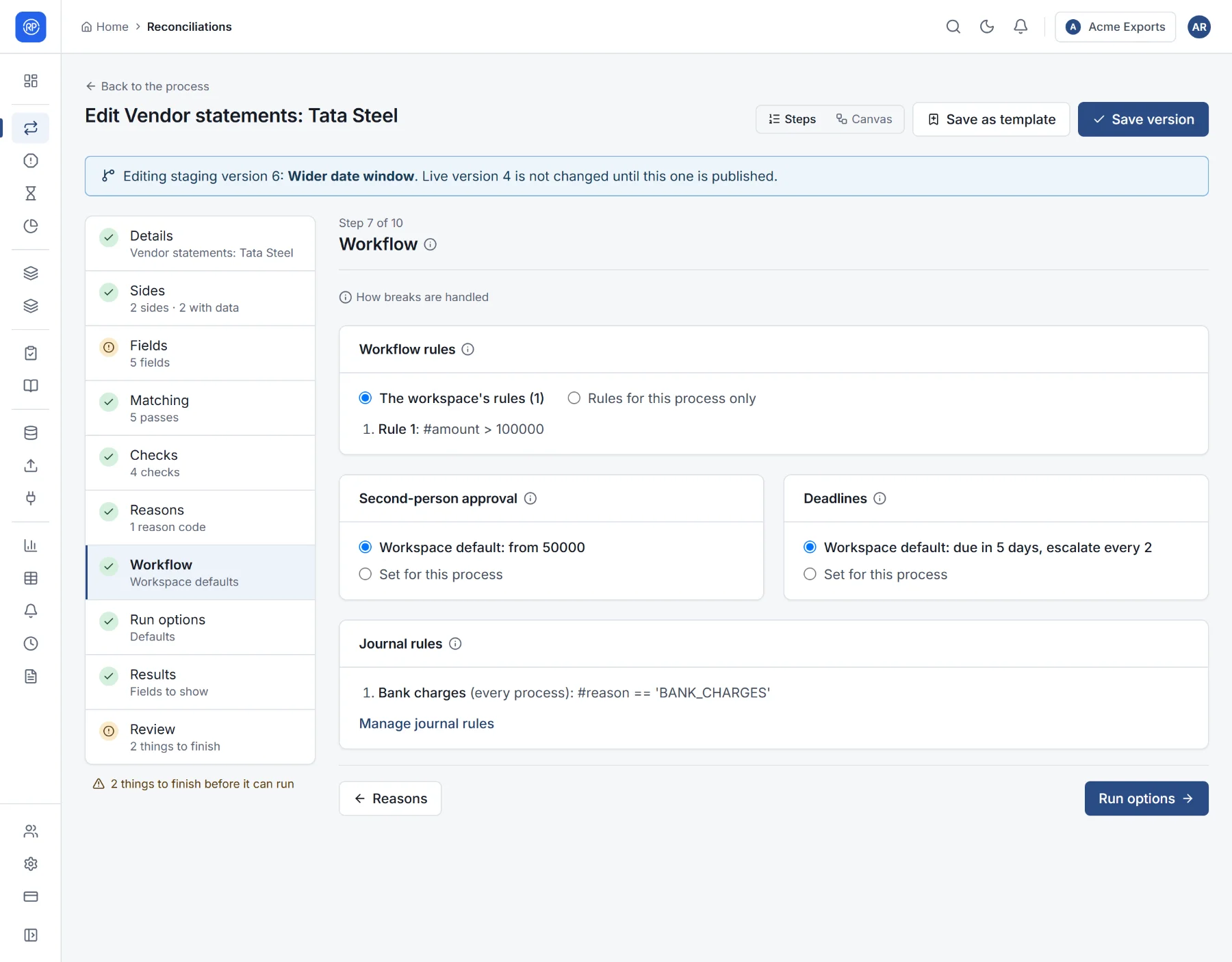
Each part follows your workspace’s default unless you set it here, so most reconciliations need no changes. The states a break moves through (for example Open, Investigating, Resolved) are the same everywhere and are set in Settings → Workflow defaults (see Workspace settings).
| Part | What it does |
|---|---|
| Workflow rules | After each run, the first rule whose condition holds assigns a new open break to someone, gives it a due date, labels it, or moves it to a state. Example: breaks from party Tata Steel go to Ravi. Choose the workspace’s rules or rules for this process only. |
| Second-person approval | A resolution waits until someone other than the person who proposed it approves it. For differences of at least limits this to larger amounts; empty means every resolution. |
| Deadlines | Open breaks get a due date a number of days after their run (Due after); overdue breaks escalate every so many days (Escalate every). Empty means no due date, or never escalate. |
| Journal rules | Which journal rules raise adjustments from this reconciliation’s records. Rules are shared across reconciliations; Manage journal rules opens them. |
Run options
Section titled “Run options”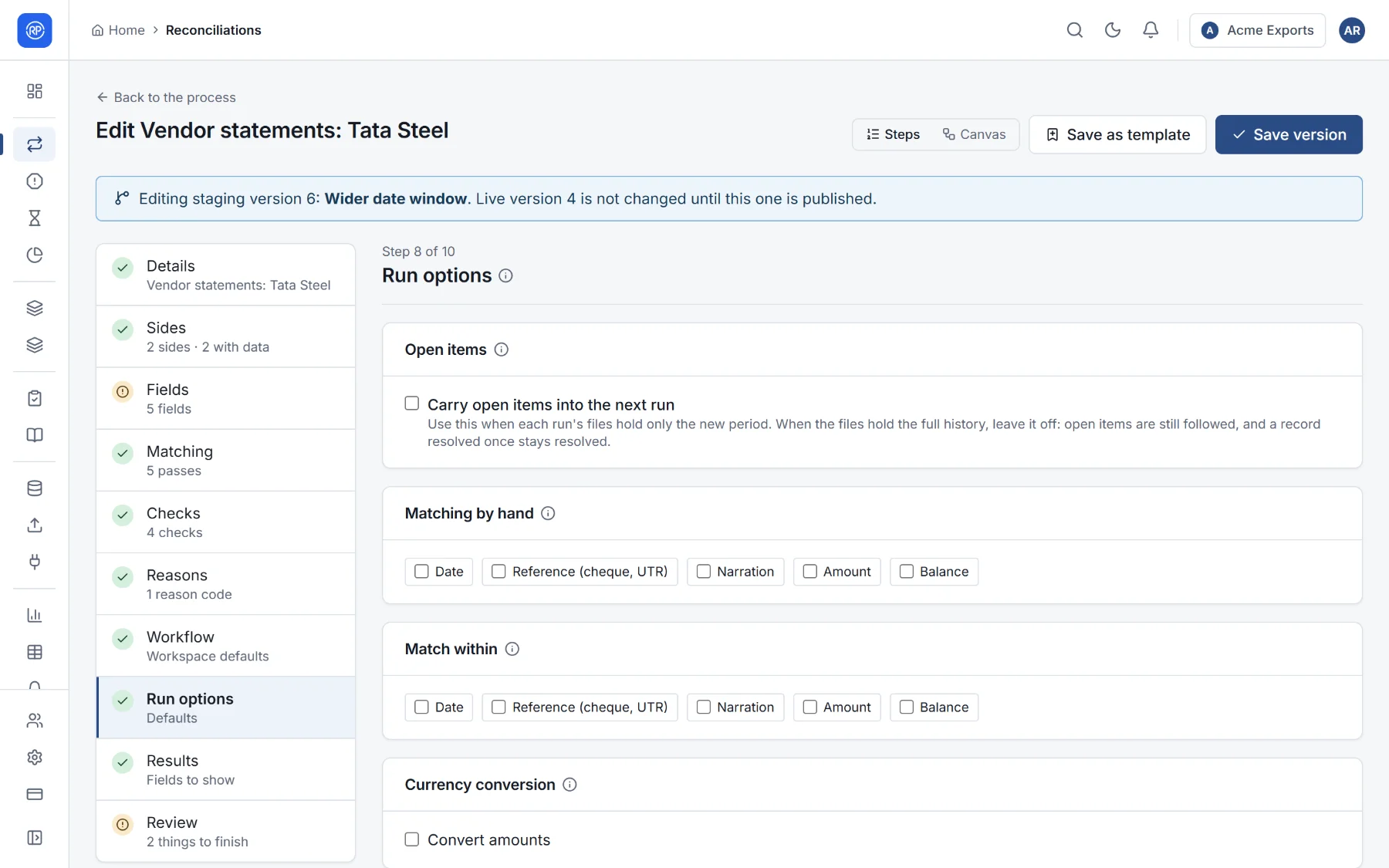
| Option | Use it when |
|---|---|
| Carry open items into the next run | Each run’s files hold only the new period (this month’s statement). Items that cross the period end — deposits in transit, uncleared cheques — stay open and match when they turn up later. You can limit for how many days. When the files hold the full history, leave it off: open items are still followed, and a record resolved once stays resolved. See Open items. |
| Matching by hand | Fields that must be the same on every record before someone may match records by hand, such as the account or the currency. Stops people pairing records that cannot belong together. |
| Match within | Records match only when these fields are equal: the entity, the bank account, the currency. It prevents matches across accounts and makes large runs faster. |
| Currency conversion | Converts amounts to one currency before matching, at the rate on or before each record’s date. Choose the currency to convert to, the field holding each record’s currency (codes such as USD), and optionally the field with the rate date (empty: the run date). Rates come from Exchange rates. |
Results fields
Section titled “Results fields”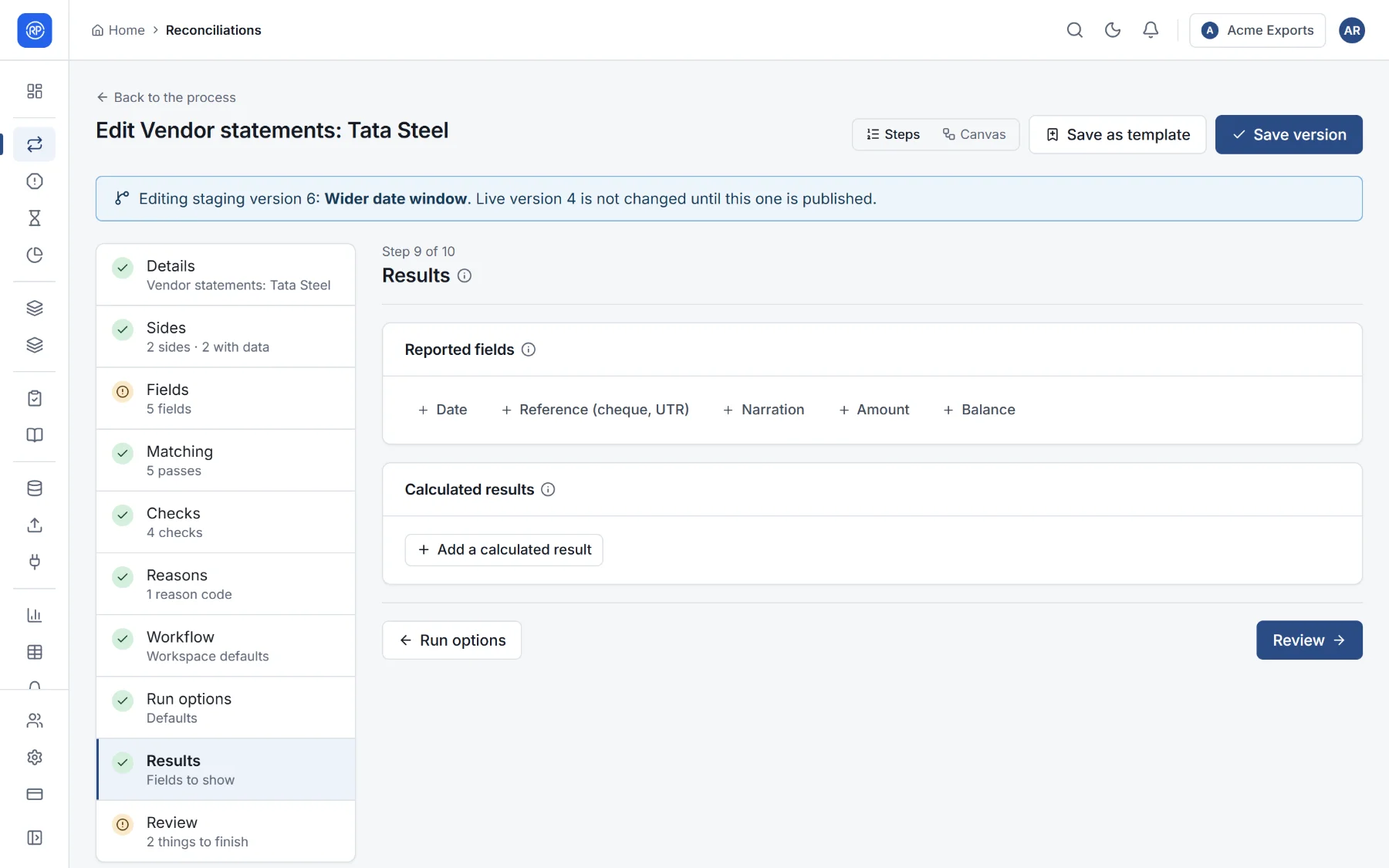
- Reported fields: the fields the results show, in order. Empty means every field. You can give a column its own heading. A number field can show the difference between the first two sides.
- Calculated results: values worked out for each group of matched records after matching, from side totals and counts, its status, its difference and its fields. For example, GST difference = IGST on the portal less IGST in the books. Each has a name, a label and a rule.