
Access to a reconciliation
By default, everyone in the workspace can open a reconciliation and do what their workspace role allows. For reconciliations that belong to one team (payroll, a sensitive bank account), you can restrict them to the people and groups you list, and give each a role on that reconciliation only. This is on the reconciliation’s Access tab.
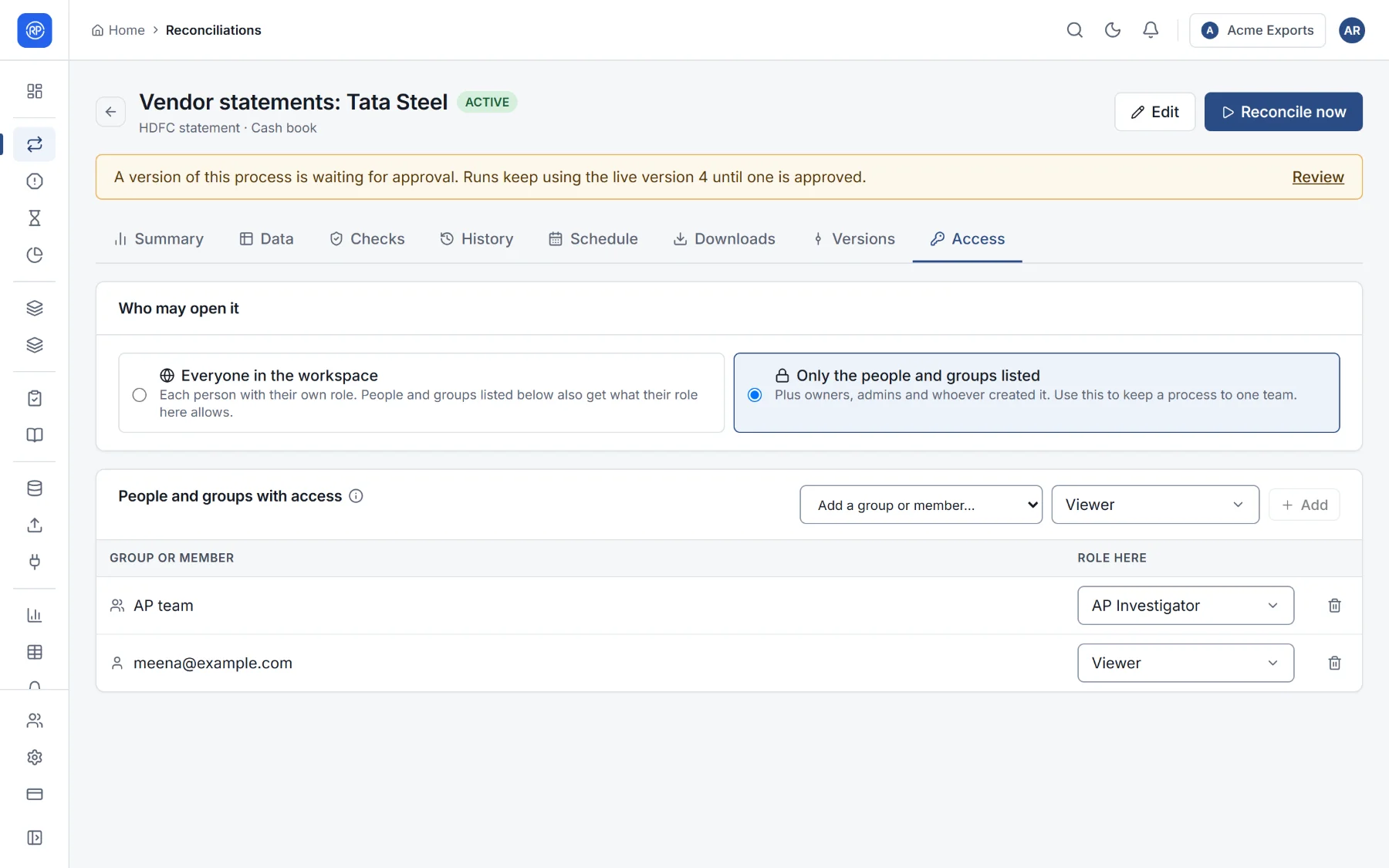
Who may open it
Section titled “Who may open it”| Choice | Meaning |
|---|---|
| Everyone in the workspace | Each person with their own workspace role. People and groups listed below also get what their role here allows. |
| Only the people and groups listed | Plus owners, admins and whoever created it. Use this to keep a reconciliation to one team. |
People and groups with access
Section titled “People and groups with access”Add a group or a member and choose the role to give them on this reconciliation. Their role here decides what they may do: view it, run it, work its breaks, change it.
Example: the AP team group gets the AP Investigator role on Vendor statements: Tata Steel. Its members can work that reconciliation’s breaks, and do not see other teams’ reconciliations at all.
If nobody is listed and it is restricted, only owners, admins and its creator can open it.