
Report builder
The report builder answers your own questions, such as open breaks over ₹10,000 by reconciliation or journals posted this month by account, without a spreadsheet. It is in Reports and monitoring → Report builder.
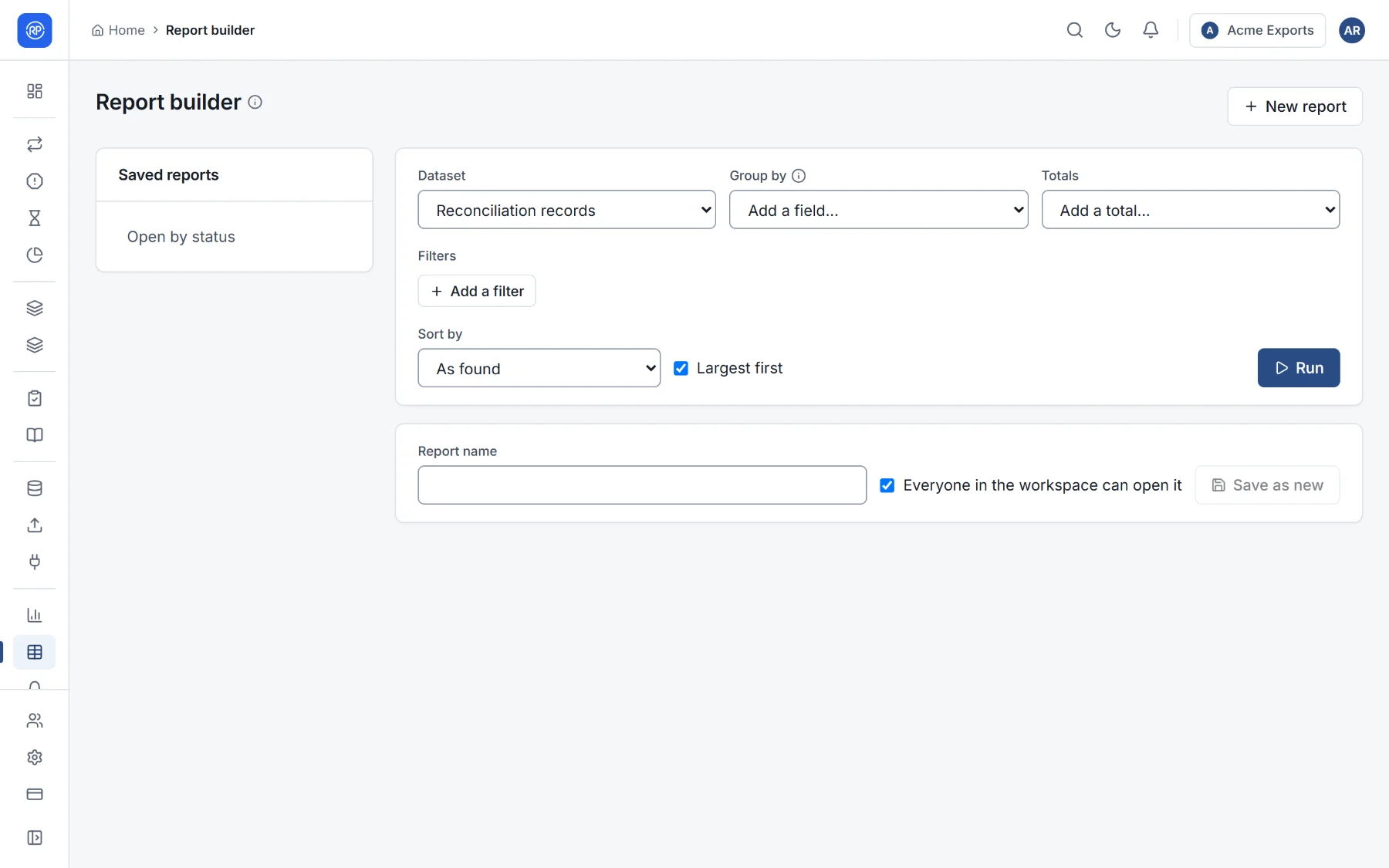
Building a report
Section titled “Building a report”-
Dataset: what to report on.
Dataset One row per Reconciliation records Record of a run, with its status, difference, reason, workflow state, assignee… Runs Run, with its counts and match rate Open items Item carried between runs, with its age Journal lines Line of a journal, with its account, debit and credit Account certifications Account certified in a period -
Filters: keep only some rows. Each filter is a field, a condition (is, is not, is one of, contains, more than, less than, at least, at most, is empty, is not empty) and a value. @me means the person looking.
-
Group by: fields to group on, such as Process then Status. Leave it empty to list rows.
-
Totals: what to add up per group: count, sum, average, smallest, largest of a field.
-
Sort by, Largest first, and At most how many rows.
-
Run.
The result shows how many rows it has and how many source rows it came from. Very large results show only the first rows.
Saving and sharing
Section titled “Saving and sharing”Give it a report name and save. Tick Everyone in the workspace can open it to share it; otherwise it is yours. Saved reports are listed on the left. Add to a dashboard puts it on a dashboard as a widget. Export the result as CSV.