
Scheduled jobs
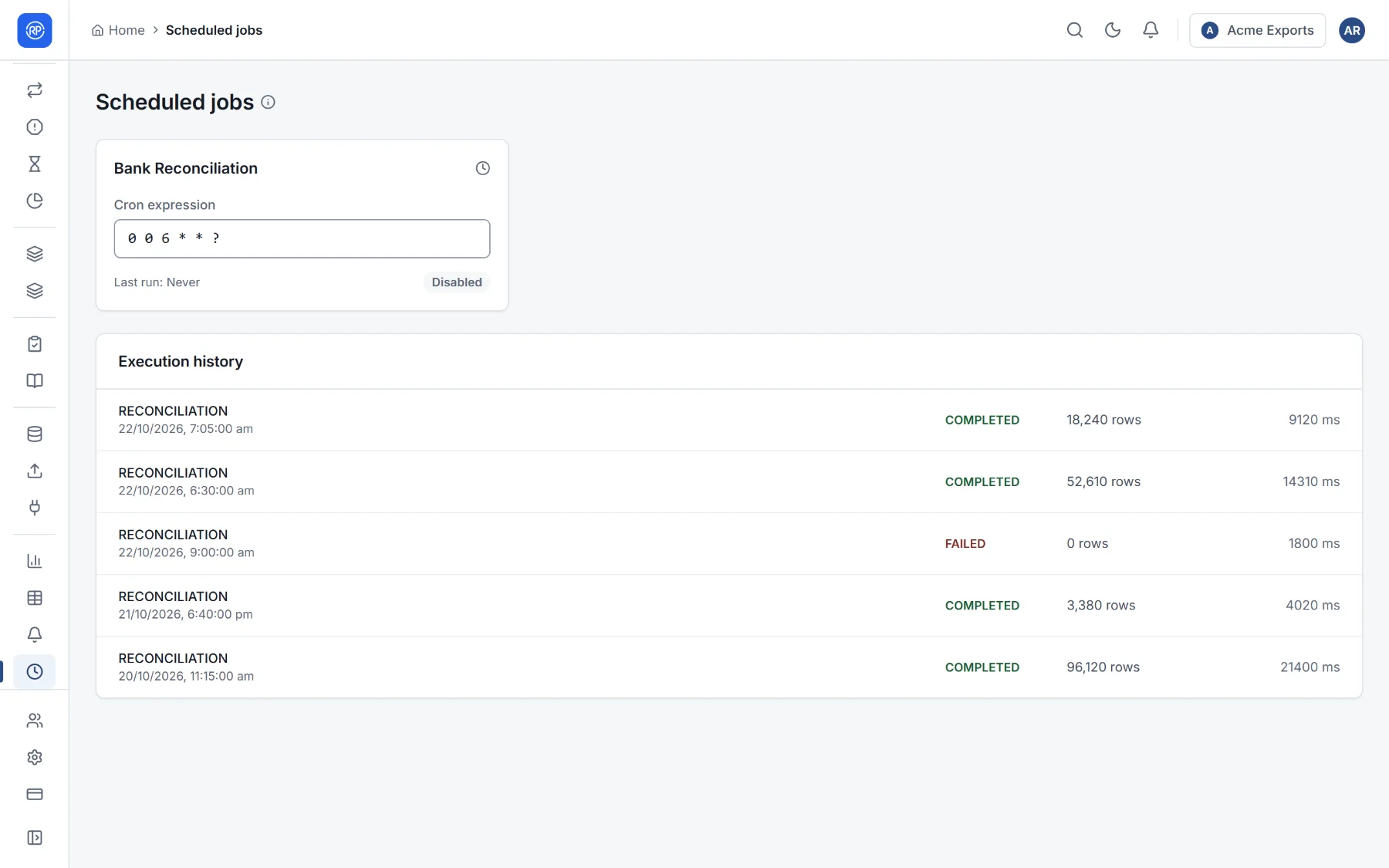
Reports and monitoring → Scheduled jobs shows when reconciliations run automatically, and the history of every run the system started.
Schedules
Section titled “Schedules”A schedule is written as a cron expression: six parts giving the second, minute, hour, day of the month, month and
day of the week. The default, 0 0 6 * * ?, means every day at 6:00. Some examples:
| Expression | Runs |
|---|---|
0 0 6 * * ? |
Every day at 6:00 |
0 30 7 ? * MON-FRI |
Weekdays at 7:30 |
0 0 9 1 * ? |
On the 1st of every month at 9:00 |
0 0 */4 * * ? |
Every four hours |
Edit the expression and leave the box to save it; the badge shows whether the schedule is on.
Execution history
Section titled “Execution history”Every automatic run: what kind of job it was, its status (Completed or Failed), when it started, how long it took, how many rows it processed, and for a failure, what went wrong (for example Side HR master has no data: no file arrived). A failed run also raises an alert.