
Your own functions
If your rules keep repeating the same piece, say cleaning a reference with [upper case] [remove spaces from] ..., you
can give it a name of its own and use it like any built-in function:
[clean ref] reference is [clean ref] invoice_noYour functions are in Settings → Rule language → Your functions. Once saved, every rule in the workspace can use them, in filters, fields, reason codes and checks, on screen and in runs.
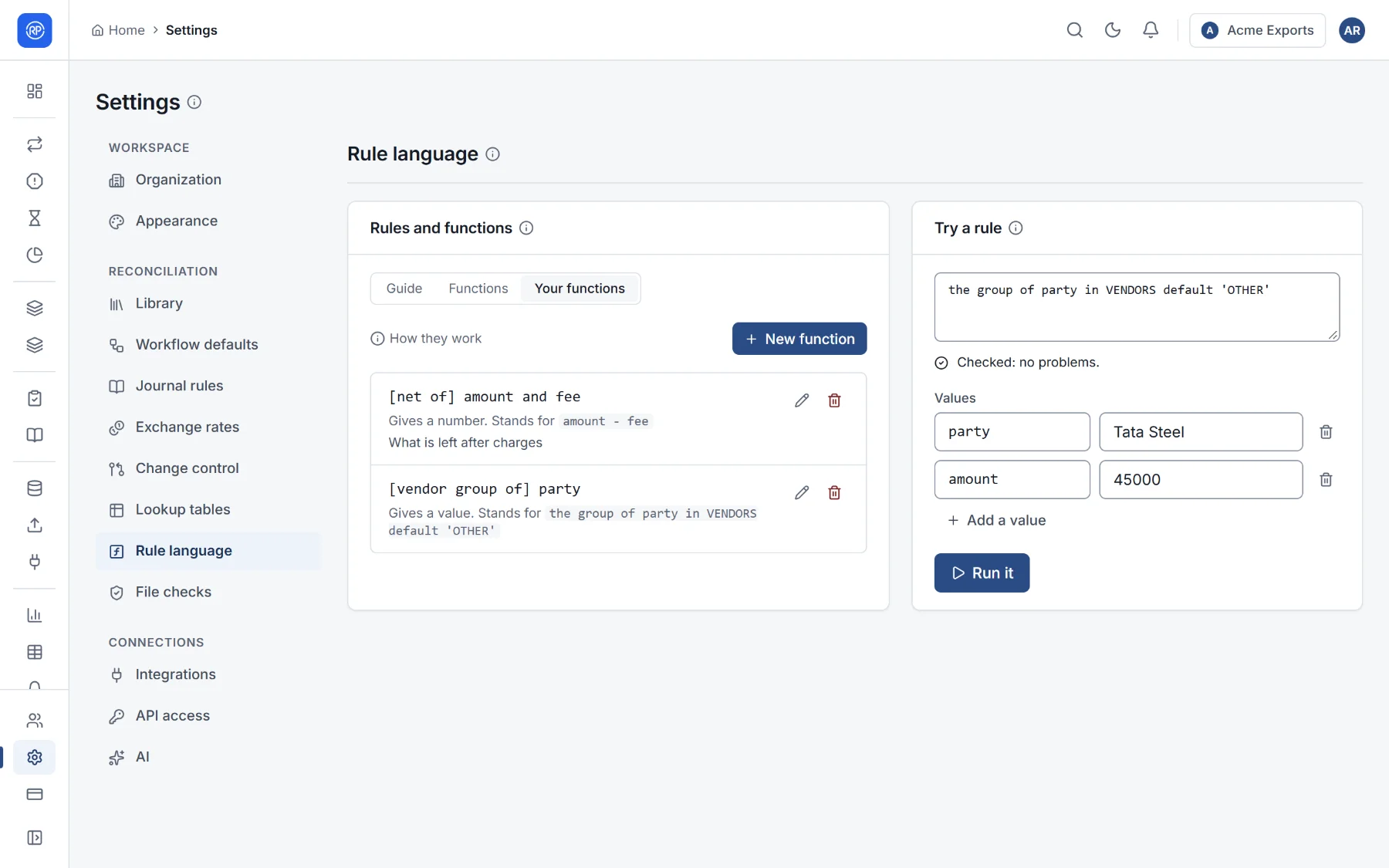
Creating a function
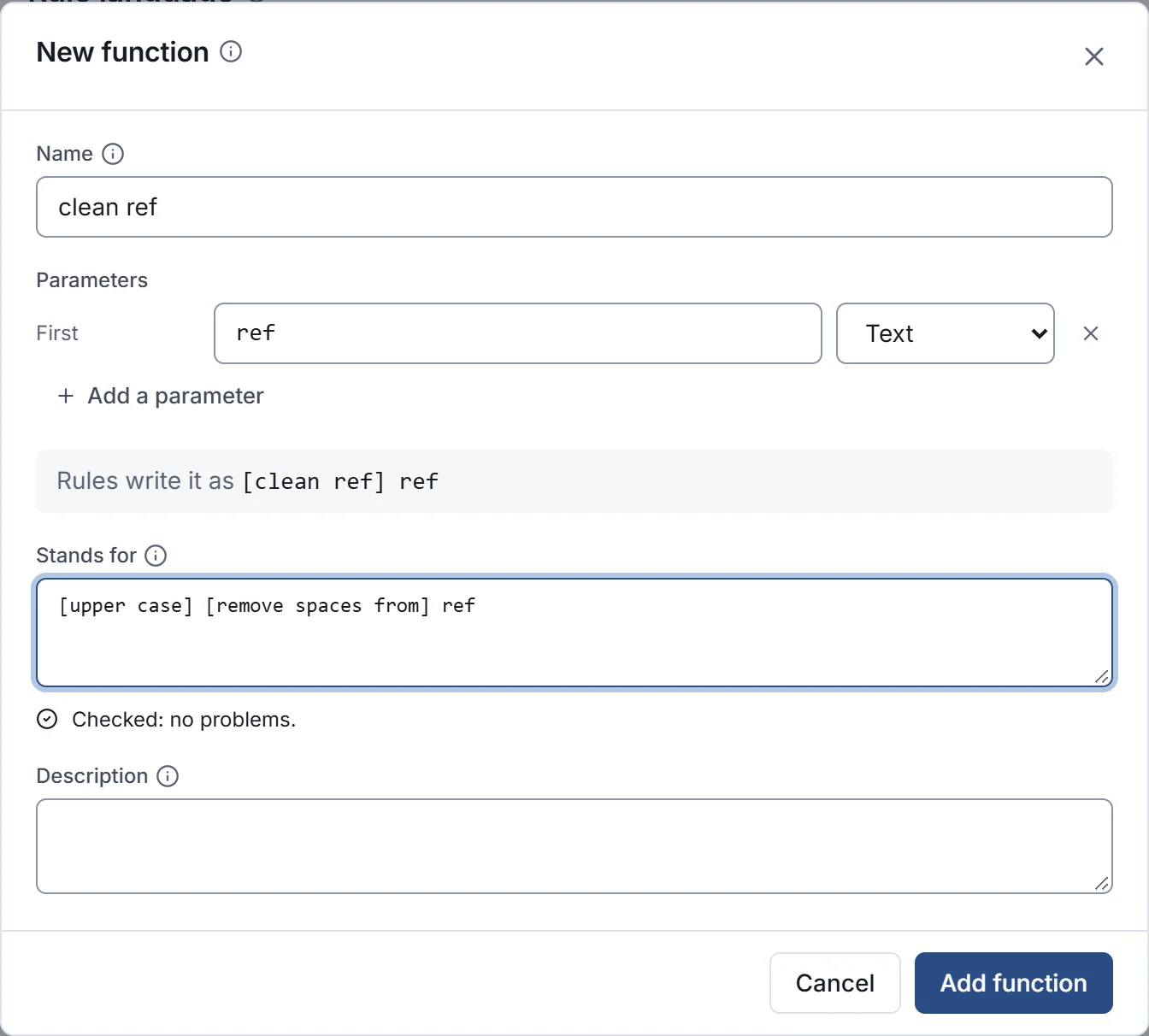
Section titled “Creating a function”- Choose New function.
- Name: the words written between the square brackets, such as net of or clean ref. One to six words of letters and digits. They cannot be a built-in function’s.
- Parameters: the values the function takes, each with a name and a type (text, number, date, yes or no, or anything). For the second and later parameters, choose the word written before them: and, to, with, from, using, by, of, as or at. The line Rules write it as shows how it will read.
- Stands for: the rule the function runs, using the parameters as fields. It is checked as you type.
- Optionally, a description, shown in the function list and to the AI rule builder.
- Add function.
Examples
Section titled “Examples”| Name and parameters | Stands for | Then write |
|---|---|---|
net of amount and fee |
amount - fee |
[net of] debit and charges is greater than 0 |
clean ref ref |
[upper case] [remove spaces from] ref |
[clean ref] reference is [clean ref] invoice_no |
vendor group of party |
the group of party in VENDORS default 'OTHER' |
[vendor group of] party is 'METALS' |
Good to know
Section titled “Good to know”- What a function gives (text, a number…) is worked out from its rule.
- A function may use built-in functions and lookup tables, but not another function of your own.
- Changing a function’s rule changes every rule that uses it, at once. Renaming it or changing its parameters means writing those rules again; deleting it stops them working until they are.
- Your functions also appear under Functions in the same settings page, in the category This workspace.
- Adding and changing functions needs the Manage functions permission. Everyone can use them.