
Lookup tables
A lookup table is a small table of reference data your rules look values up in: which group each vendor belongs to, which ledger each bank account maps to, which tax rate applies to which amount. Keeping it in one table means you change it once, and every rule that uses it follows. Lookup tables are in Settings → Lookup tables.
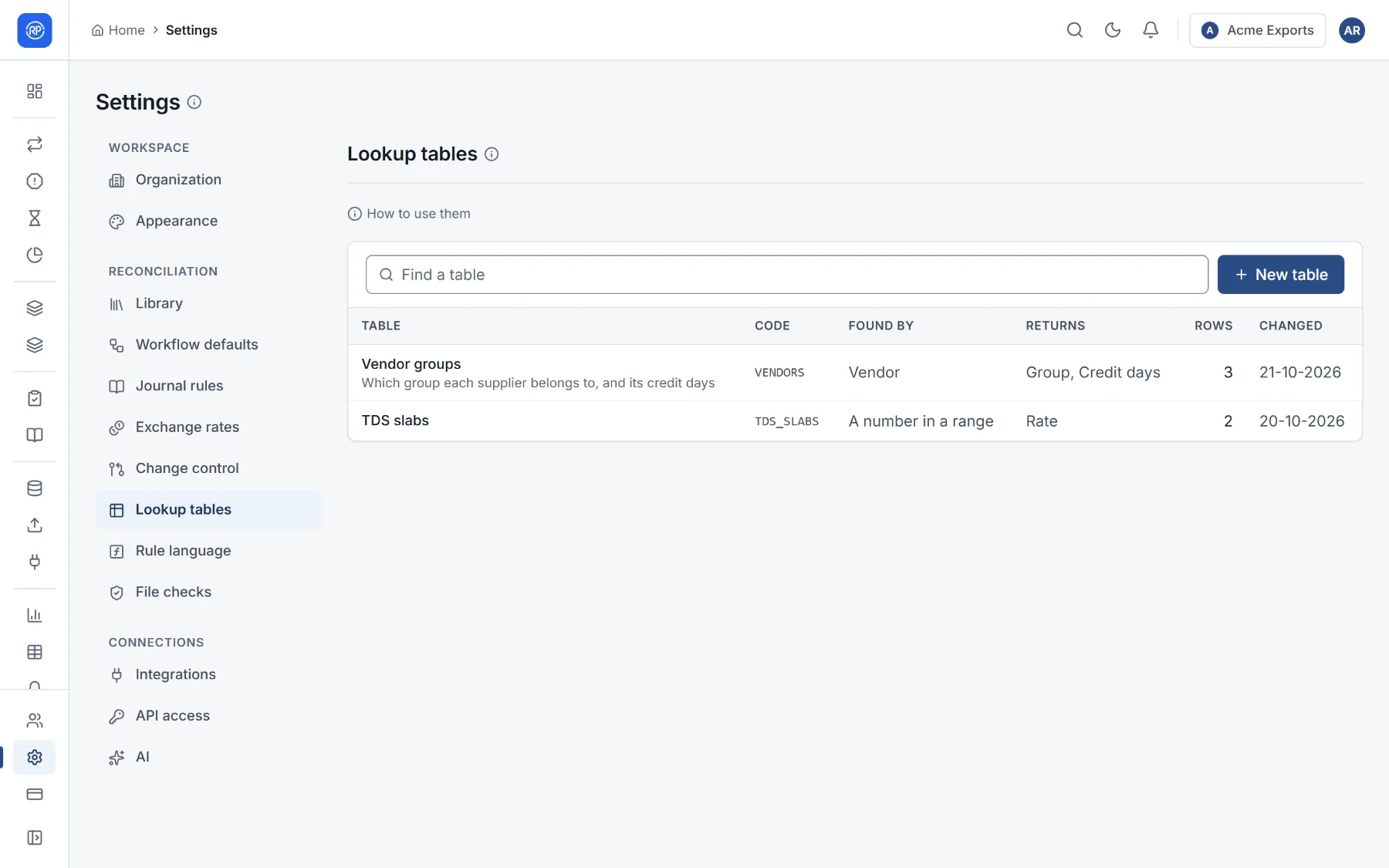
Two kinds of table
Section titled “Two kinds of table”| Kind | Rows are found by | Examples |
|---|---|---|
| Exact | One or more key columns: the row whose key equals the value. | Vendor → group; account number → ledger; (party, currency) → rate |
| Range | An amount between From and To. From is included, To is not: a row from 0 to 30000 holds 29999.99. Leave From or To empty for no limit. | Tax slabs, ageing bands, tolerance tiers |
Keys are compared ignoring upper and lower case and spaces at either end, and numbers by value (100 and 100.00 are
the same key). Mark two key columns to find rows by a combination, such as party and currency.
Creating a table
Section titled “Creating a table”- Choose New table.
- Give it a name (Vendor groups) and a code (
VENDORS). Rules use the code, so it cannot change later. Optionally say what it is for. - Choose how rows are found: by key columns, or by an amount between From and To.
- Add the columns: each has a name, a type (text, number, date, yes or no) and a role (Key, From, To or Value). Choose the default column: what a lookup returns when it does not name a column.
- Save, then add rows one by one, or Import CSV.
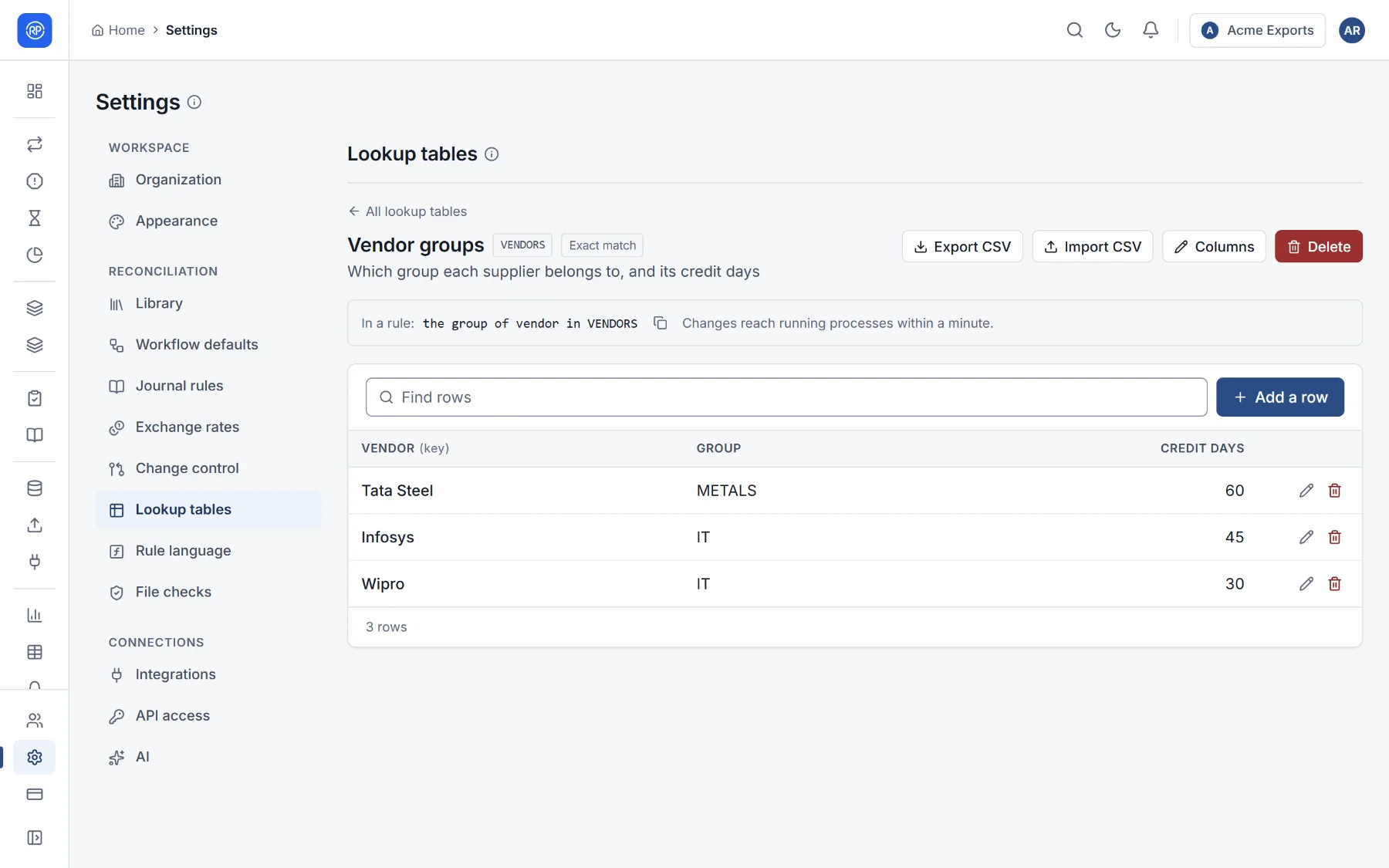
Add a row, edit a row with the pencil, or delete it with the bin. Find rows searches every column.
Import CSV loads a CSV file whose first line names the columns. Choose what happens to the rows already in the table:
- Keep them: rows with the same key are updated and the rest are added (in a range table, the file’s rows are added);
- Replace them all: the table holds exactly the rows in the file.
If some lines cannot be read (a missing key, a number that is not a number, a key twice), nothing is imported and the problems are listed; fix them and import again. Export CSV downloads the table.
Using a table in a rule
Section titled “Using a table in a rule”Each table shows how to use it, ready to copy, for example the group of vendor in VENDORS.
| You want | Write |
|---|---|
| A column of the matching row | the group of party in VENDORS |
| The same, with a value when nothing is found | the group of party in VENDORS default 'OTHER' |
| A table keyed on two columns | the rate of (party, currency) in RATES |
| A range table | the rate for amount in TDS_SLABS |
| Whether the table has the key | account is in BLOCKED_ACCOUNTS |
In the sentence builder, choose Look up when picking a value.