
Audit log
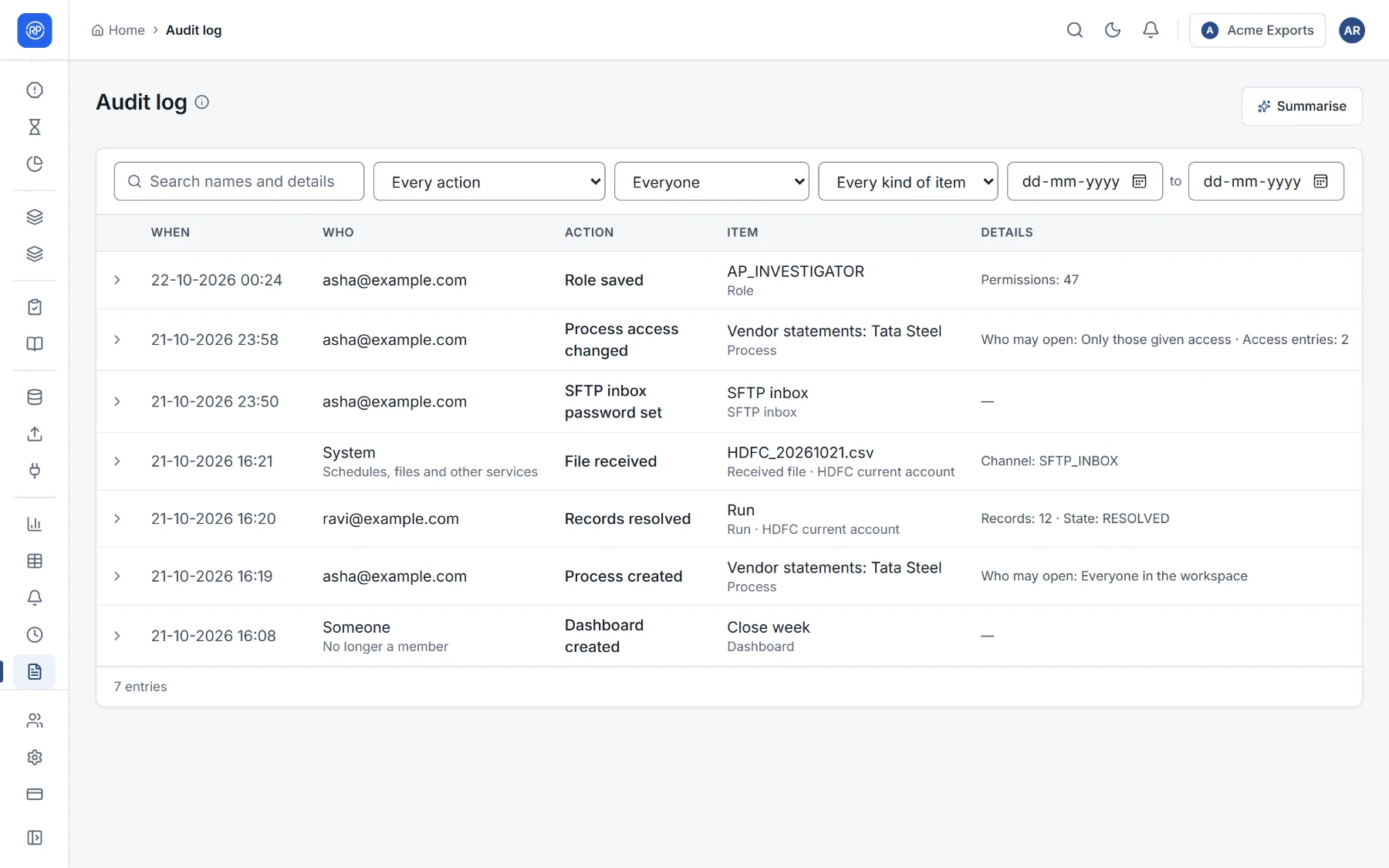
The audit log records every change that matters: reconciliations created, changed, approved and run; breaks resolved; journals posted; members invited; roles and access changed; files received. Each entry says who did it (a person, the system, or a rule), when, to what, and what changed. It is in Reports and monitoring → Audit log.
Finding something
Section titled “Finding something”- Search names and details.
- Filter by action (such as Role saved, Process changed, File received), by person (or System for schedules, files and other services), and by kind of item.
- Set a date range with From and To.
Open an entry to see its full details, for example the old and new value of a setting, or the rule that cleared a record. Page back with Older and forward with Newer.
The log cannot be edited or deleted by anyone. Auditors usually need only a role that lets them view it; see Members, groups and roles.