
The API
The API lets your own systems (an ERP job, a scheduler, Zapier, a script) work with RefinePoint without a person: send today’s file, start a reconciliation, collect the results. This page is for whoever sets up those systems; you do not need it to use RefinePoint.
API keys
Section titled “API keys”An API key is a password for a system, not a person. Create keys in Settings → API access (workspace admins only; API access is part of some plans).
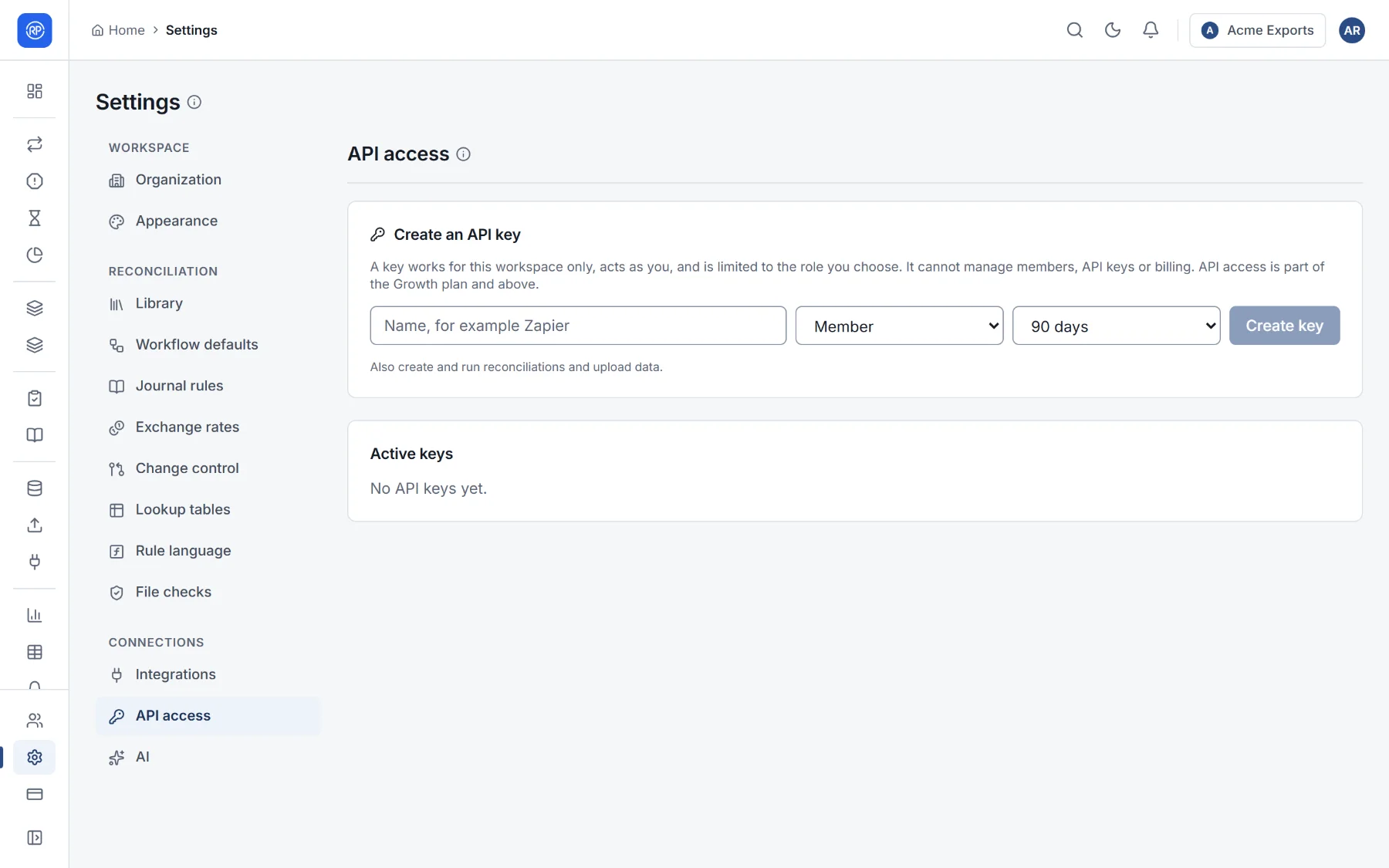
- Give the key a name that says what uses it, such as Zapier or ERP nightly job.
- Choose its role:
- Viewer: read-only. List and read reconciliations, results and data sources.
- Member: also create and run reconciliations, and upload data.
- Admin: everything an admin can do in data and settings, except members, API keys and billing.
- Choose when it expires: 30 days, 90 days, 1 year, or no expiry.
- Create an API key, then copy it. For your security it is not shown again.
Revoke a key as soon as it is no longer needed, or if it may have been seen by someone else. Keys can never reach member management, API-key management or billing, so a leaked key cannot be used to grant itself more access.
Making a request
Section titled “Making a request”Send the key in the X-API-Key header. Every address starts with your workspace’s code:
curl https://api.refinepoint.com/api/v1/organizations/acme-finance/reconciliation/processes \ -H "X-API-Key: YOUR_KEY"Answers are JSON in the same shape:
{ "success": true, "data": { ... }, "message": "...", "errors": [] }data holds the result; when something is wrong, success is false, message says why, and the HTTP status is
400 (a problem with what was sent), 401 (no or wrong key), 403 (the key’s role does not allow it), 404 (not
found) or 402 (the plan does not include it).
Common tasks
Section titled “Common tasks”All paths below start with /api/v1/organizations/{code}.
| Task | Request |
|---|---|
| List reconciliations | GET /reconciliation/processes |
| Start a run | POST /reconciliation/processes/{processId}/run |
| Check a run | GET /reconciliation/runs/{runId} — its status is RUNNING, then COMPLETED or FAILED, with counts and match rate |
| Read a run’s results | GET /reconciliation/processes/{processId}/runs/{runId}/results?status=UNMATCHED&page=0&size=200 |
| List data sources | GET /data-sources |
| Upload a new file to a data source | POST /data-sources/{id}/upload (multipart form, field file) |
| Send a file to file routing | POST /ingest/submissions (see below) |
| Read or add lookup table rows | GET / POST /lookups/{CODE}/rows |
| Try a rule | POST /expressions/evaluate with { "expression": "...", "variables": { ... } } |
Sending files
Section titled “Sending files”The simplest integration: send each file to file routing, and let your routes decide where it goes and whether to run.
curl https://api.refinepoint.com/api/v1/organizations/acme-finance/ingest/submissions \ -H "X-API-Key: YOUR_KEY" \ -F "file=@HDFC_20261022.csv"Add -F processId=... and -F side=A to place a file on a particular side yourself instead. The answer tells you
whether the file was delivered and where. Files arrive on the API channel, so a route can accept API files only.
Limits and good practice
Section titled “Limits and good practice”- Keep keys in your system’s secret store, never in code or spreadsheets.
- Give each system its own key with the smallest role it needs.
- Requests are rate-limited; if you receive
429, wait and retry.