
Connections
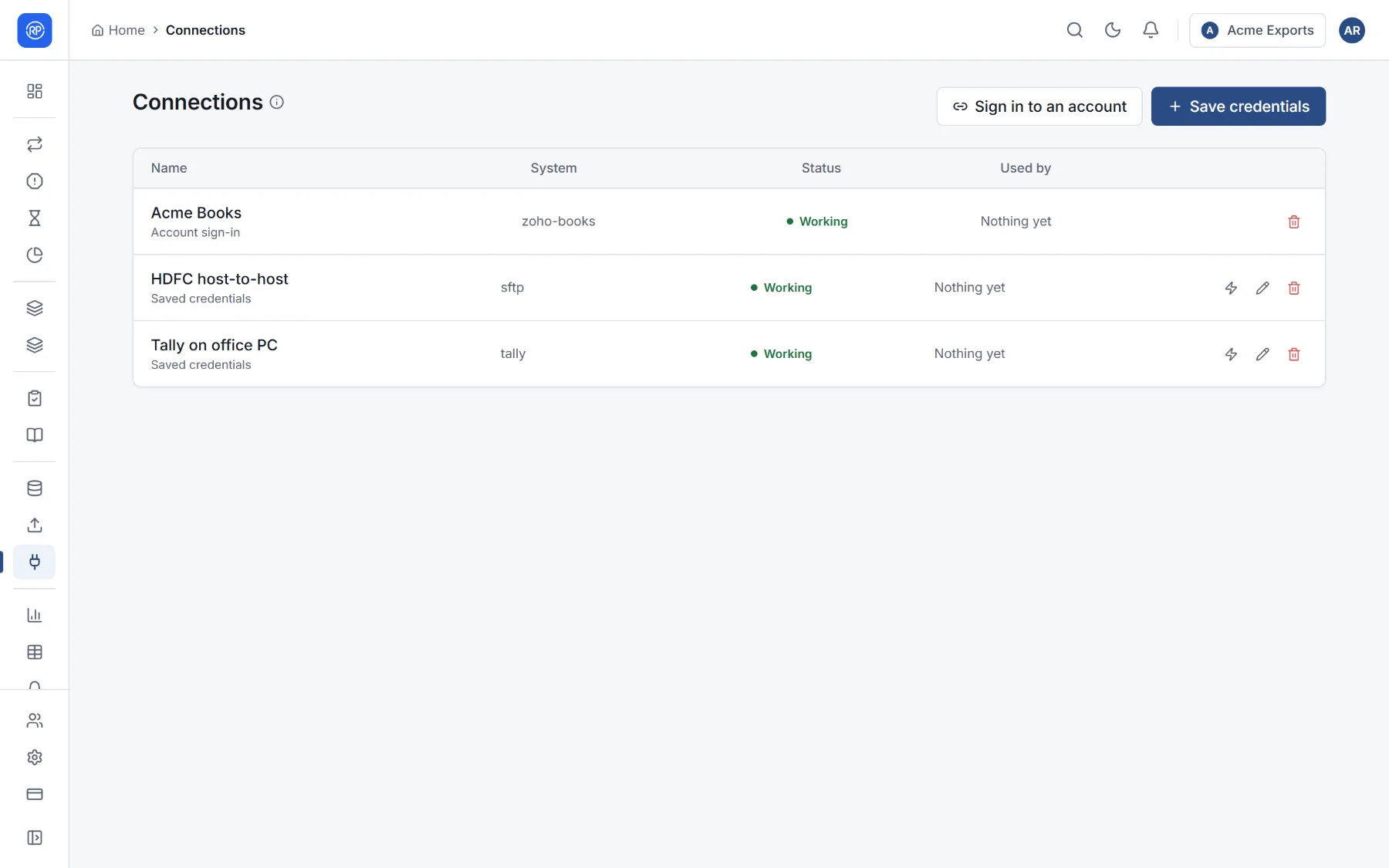
A connection is a signed-in account or a set of saved credentials: your Xero organisation, a QuickBooks company, a Google or Microsoft account, a database login, an SFTP server. Data sources reuse a connection and only choose what to read, so a password is entered once, in one place. Connections are in Data → Connections.
Adding a connection
Section titled “Adding a connection”- Sign in to an account for Xero, QuickBooks Online, Zoho Books, Google (Drive and Sheets) or Microsoft (OneDrive and SharePoint). Choose where to sign in; the provider’s own sign-in page opens, and you return to RefinePoint when it is done.
- Save credentials for a database, warehouse, SFTP or FTP server: give the connection a name (for example Finance warehouse) and enter the host, user and password or key.
Test checks a connection still works; Edit changes its name or settings. Secrets are shown masked and are kept unless you type new ones.
When a connection stops working
Section titled “When a connection stops working”A signed-in account can be disconnected on the provider’s side, a password can change, a key can expire. The connection is then marked needs attention, and the data sources using it cannot refresh. Sign in again or update the credentials, then use Test.