Checks
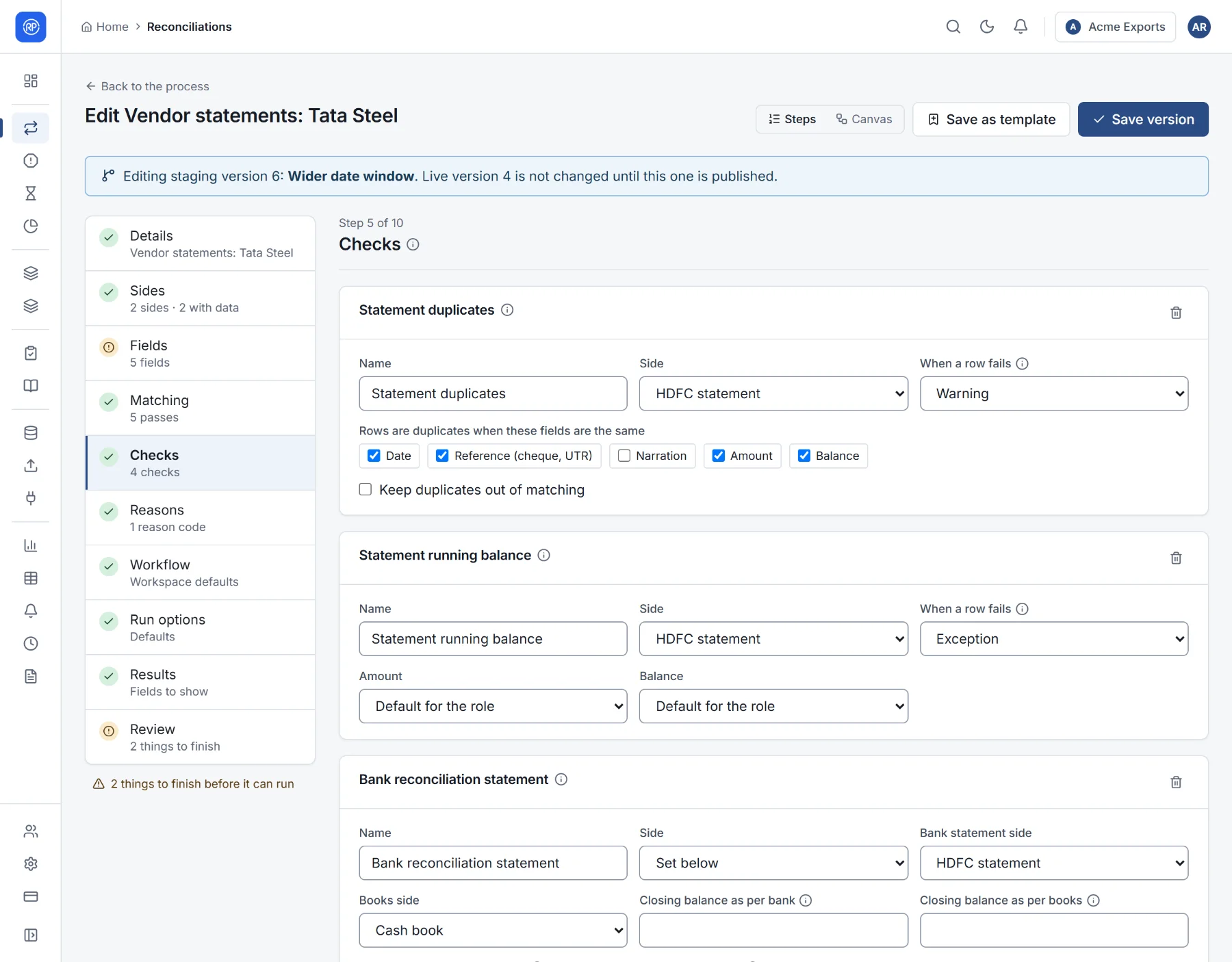
Matching tells you which records pair up. Checks tell you whether you can trust the whole result: that no rows went missing, that the balances agree, that nothing was counted twice. An auditor will ask for exactly these. Checks are set up in step 5 of the designer and run with every run.
The checks you can add
Section titled “The checks you can add”| Check | What it proves |
|---|---|
| Required values | Each row has a value in every chosen field (no blank references or amounts). |
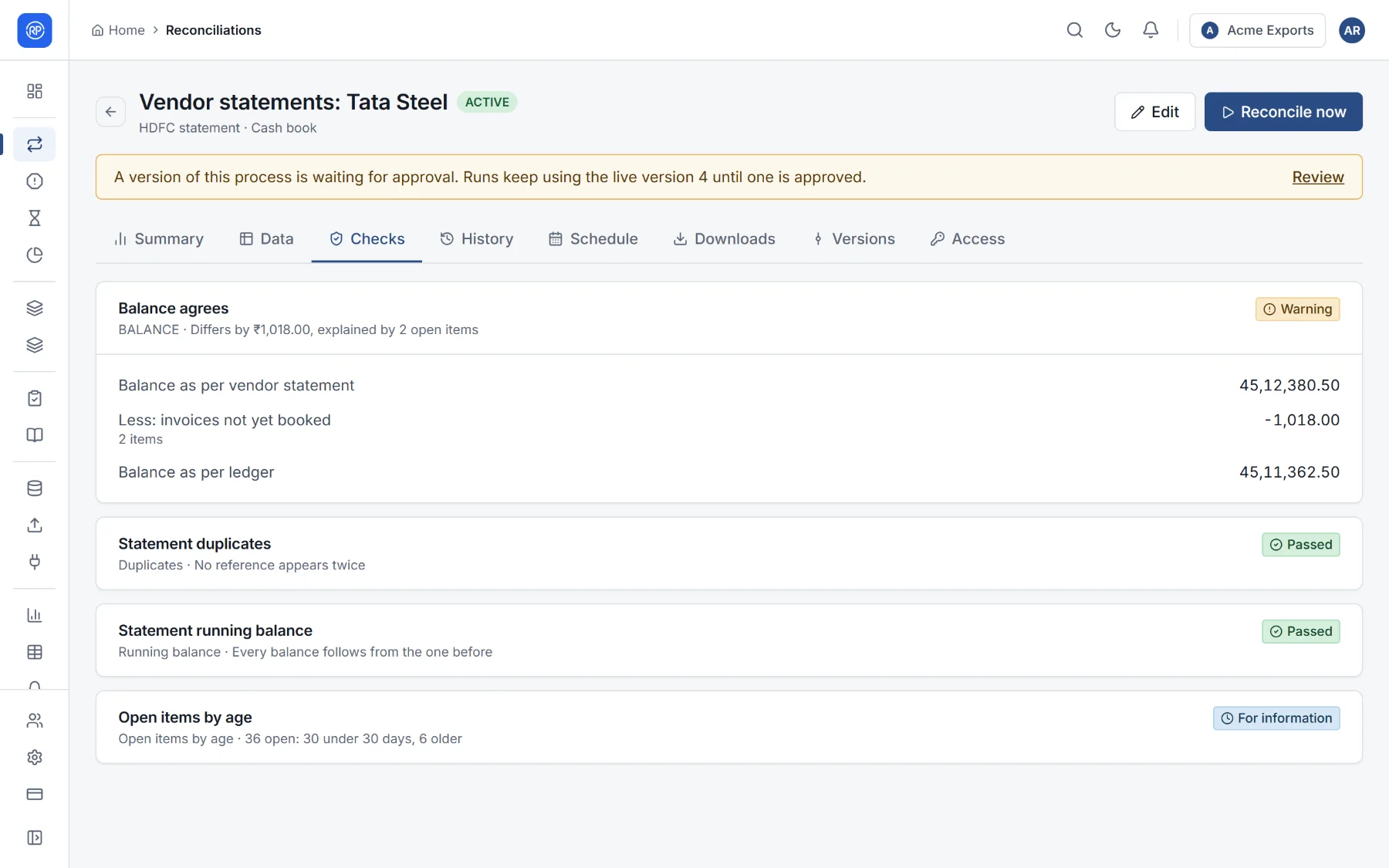
| Duplicates | No two rows of a side have the same values in the chosen fields. |
| Valid GSTIN | Tax IDs have the right format and check digit. |
| GST tax components | CGST equals SGST, IGST is not charged together with them, and tax is not more than 28% of the taxable value. |
| Value range | Values outside a range are flagged, such as amounts over ₹10 lakh. |
| Running balance | Each balance equals the previous balance plus the amount. Catches missing, changed or reordered rows. |
| Bank reconciliation statement | The difference between the bank and book closing balances is fully explained by unmatched items. |
| Totals agree | Totals of a field agree across sides. |
| Balance per party | Totals per party (customer, supplier) on each side, with the parties that differ. |
| Input tax credit | GST input credit as per the portal and as per your books: matched, with differences, at risk and not recorded. |
| Open items by age | Open records grouped by age, for example under 30, 30–60, 60–90 and over 90 days. |
| Your own rule, per record | Flags each record for which a rule holds, with a message, for example Amount is greater than 500000 and Party is missing. |
| Your own rule, on totals | Checks a figure worked out from totals. Totals are written as side and field, such as A_amount and B_amount, and counts as A_count. A number passes when it is within the tolerance of zero; a yes-or-no rule passes or fails. Example: A_amount - B_amount. |
Settings common to most checks
Section titled “Settings common to most checks”- Name: what the check is called in the results.
- Side: which side it looks at, where it applies to one side.
- When a row fails: Exception — the row needs fixing, and it becomes a break; or Warning — the row is flagged only.
The bank reconciliation statement takes the closing balance as per bank (leave it empty to take the last balance on the statement) and the closing balance as per books or the opening balance as per books (used when there is no closing balance: the opening balance plus every book entry).
Check results
Section titled “Check results”Every run shows each check’s result on the reconciliation’s Checks tab: Passed, Warning, Failed or For information, with a summary, the figures behind it, and the rows it flagged.