
Dashboards
The Dashboard is the first page you see. It shows your workspace at a glance, and you can build as many dashboards as you like: one for the controller’s morning check, one for each team’s own work.
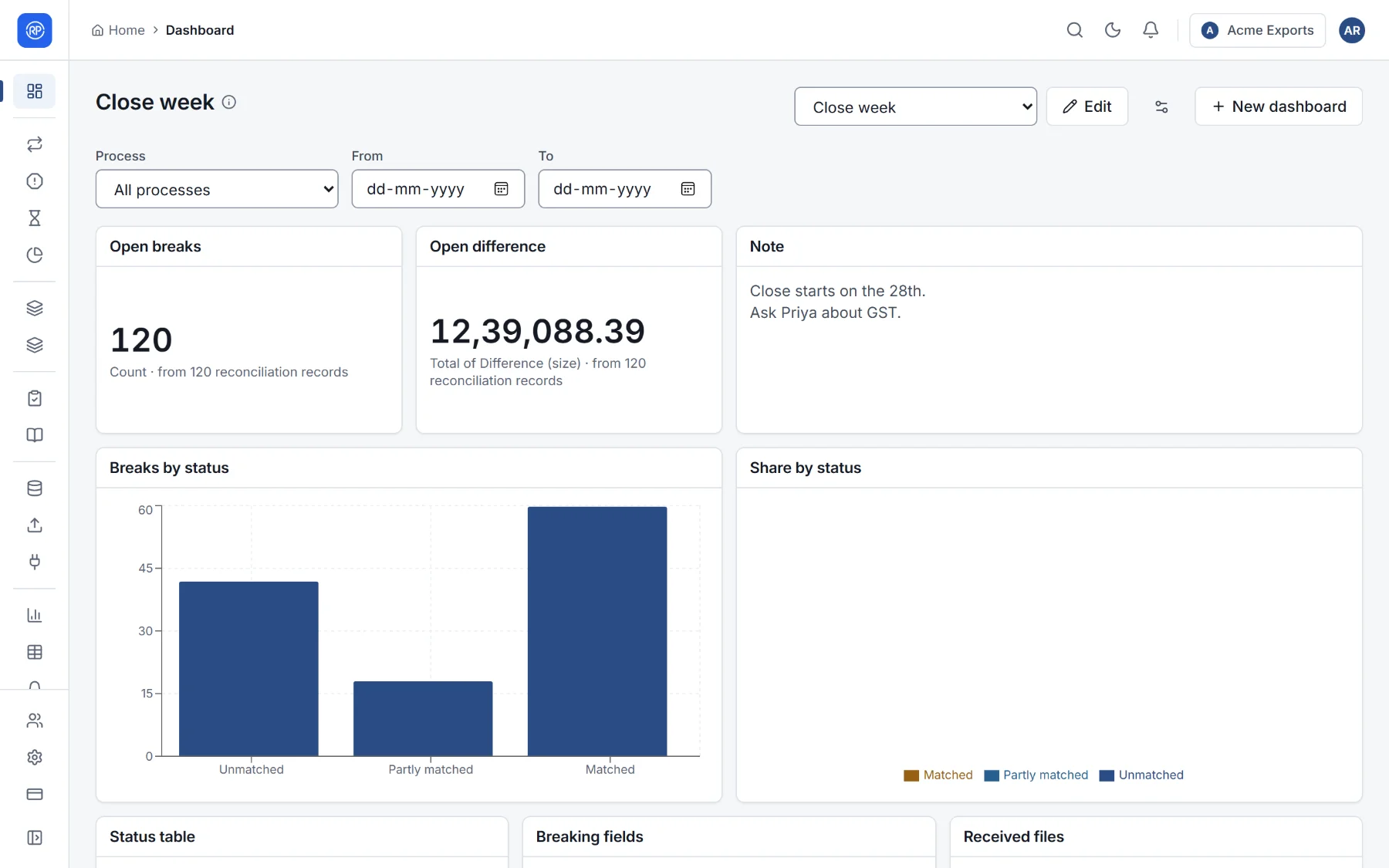
Choosing a dashboard
Section titled “Choosing a dashboard”Pick a dashboard from the list at the top right. Each one remembers its filters (process, date range), which you can change at the top of the page while you look.
Making a dashboard
Section titled “Making a dashboard”- Choose New dashboard.
- Give it a name and, optionally, a description.
- Start with a ready-made set of widgets (Breaks, runs and deadlines, which you can change), or nothing, to add your own.
- Who sees it: the roles for which it opens first, unless a person chose another dashboard. Leave it empty for a dashboard of your own.
Widgets
Section titled “Widgets”Choose Edit, then Add a widget. The ready-made widgets:
| Widget | Shows |
|---|---|
| Open breaks | How many records are still open |
| Overdue breaks | Open records past their due date |
| Open difference | The size of all open differences |
| Match rate | Average match rate of each reconciliation’s latest run |
| Run status | Each reconciliation’s latest run |
| Breaks by process | Open records per reconciliation |
| Breaks by reason | Open records per reason code |
| Match rate over time | Average match rate per month |
| My assignments | Open records assigned to the person looking |
| Deadlines missed | Overdue records by who has them |
Or build your own: choose the data (reconciliation records, runs, open items, journal lines, account certifications), filters, grouping and totals, exactly as in the report builder, and how to show it: a number, bar chart, line chart, pie chart or table. You can also start from a saved report. Filters can use @me, the person looking, so one My assignments widget works for everyone.
Other widgets show a text note (Close starts on the 28th), the breaking fields of a reconciliation, or the latest received files.
Arranging
Section titled “Arranging”In edit mode, drag widgets by their handle and resize them from the bottom-right corner. The filters set while editing are saved with the dashboard. Each widget can be changed, copied or removed.