
Versions and approval
Once a reconciliation is in use, a careless change (a wider tolerance, a new filter) can quietly change the numbers your close depends on. RefinePoint therefore keeps every change as a version, lets you prepare changes without touching what is running, and can require a second person to approve a change before it goes live.
The idea in one paragraph
Section titled “The idea in one paragraph”A reconciliation has one live version: runs use it. To change it, you make a staging version (a draft copy), change that, look at what differs from the live one, and then publish it. If your workspace requires approval, publishing submits it, and it goes live only when someone else approves it. The old live version becomes history, and can be brought back at any time.
The Versions tab
Section titled “The Versions tab”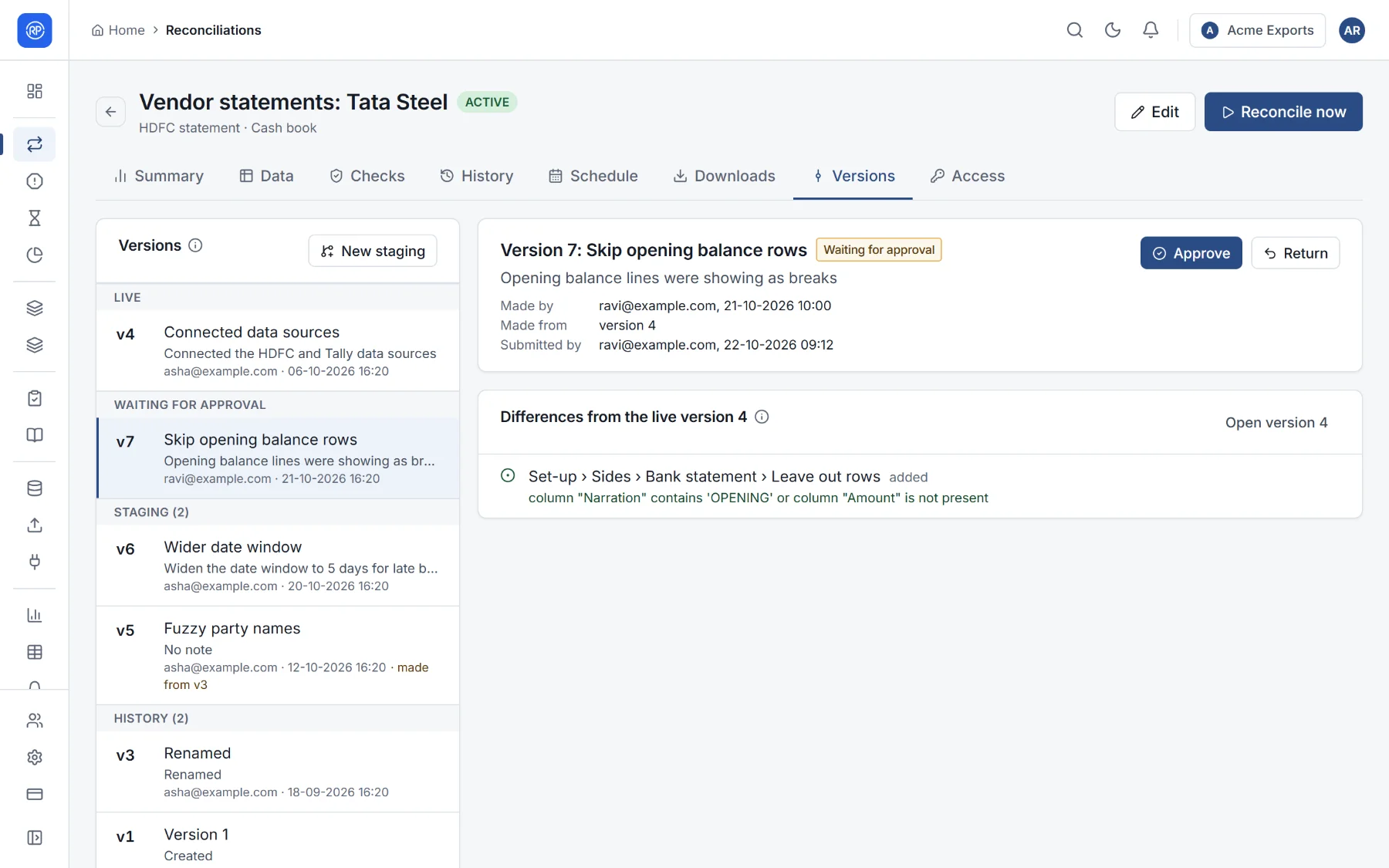
The list on the left groups versions:
| Group | Meaning |
|---|---|
| Live | The version runs use now. |
| Waiting for approval | Submitted, waiting for someone to approve or return it. |
| Staging | Being prepared. There can be several at once, from different people. |
| History | Earlier live versions, and the very first set-up (the set-up as it was created). |
Select a version to see who made it and when, what it was made from, its note (what changed and why), and the differences from the live version, one line per change: what was added, changed or removed, with the old and new value.
Making a change
Section titled “Making a change”- On the Versions tab, choose New staging, or open the reconciliation in the designer and make your changes: saving a live reconciliation creates a staging version (Save as staging).
- Change what you need in the designer. Each save updates the staging version.
- Back on the Versions tab, check its differences from the live version.
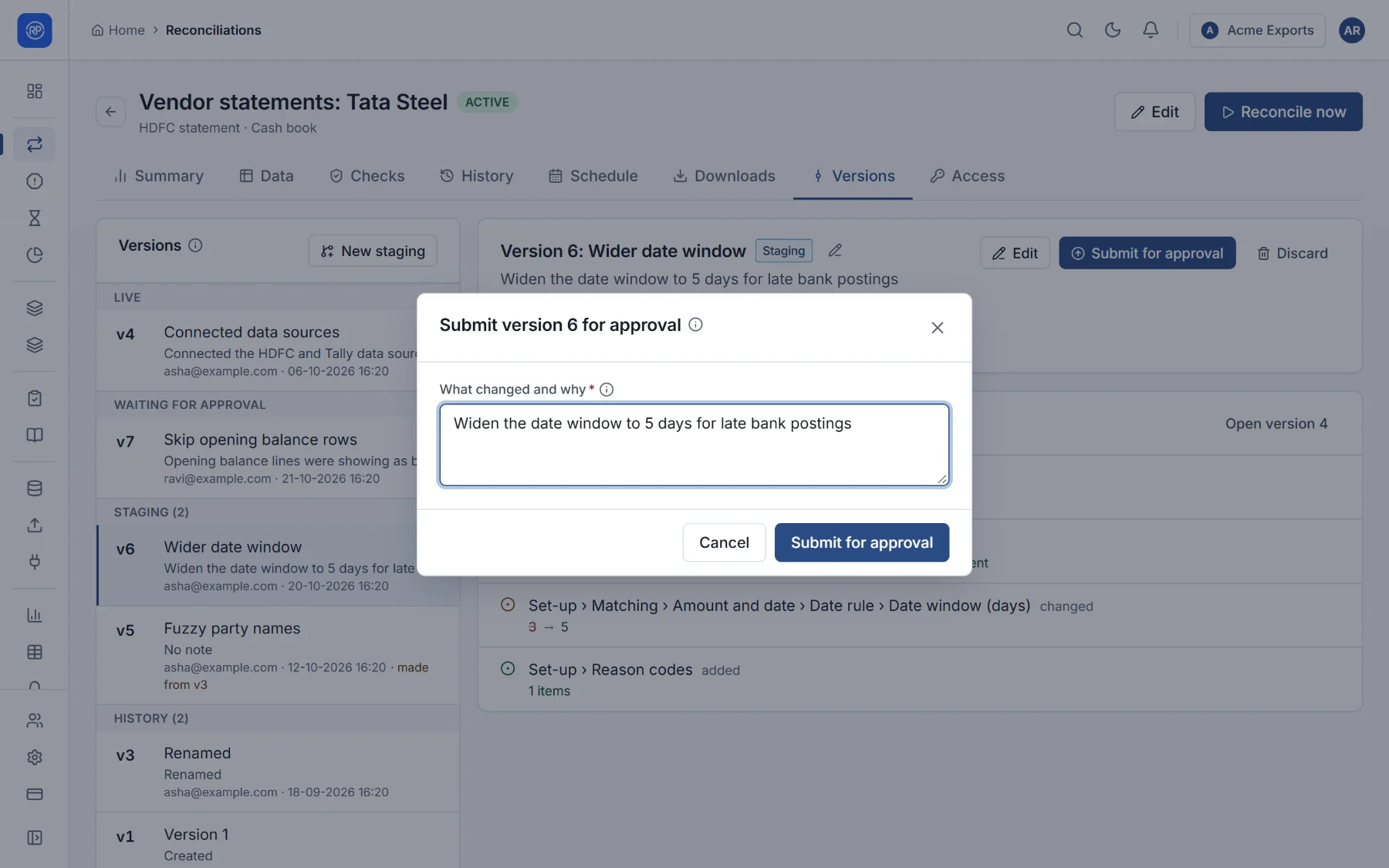
- Publish it, or, when changes need approval, Submit for approval. Say what changed and why: the approver reads it.
Before a reconciliation is live (it has never run and is not active), changes take effect at once, without versions.
Approving a change
Section titled “Approving a change”People who can approve see a banner on the Reconciliations page (1 version of a process is waiting for approval) and the version in Reconciliations → Waiting for approval.
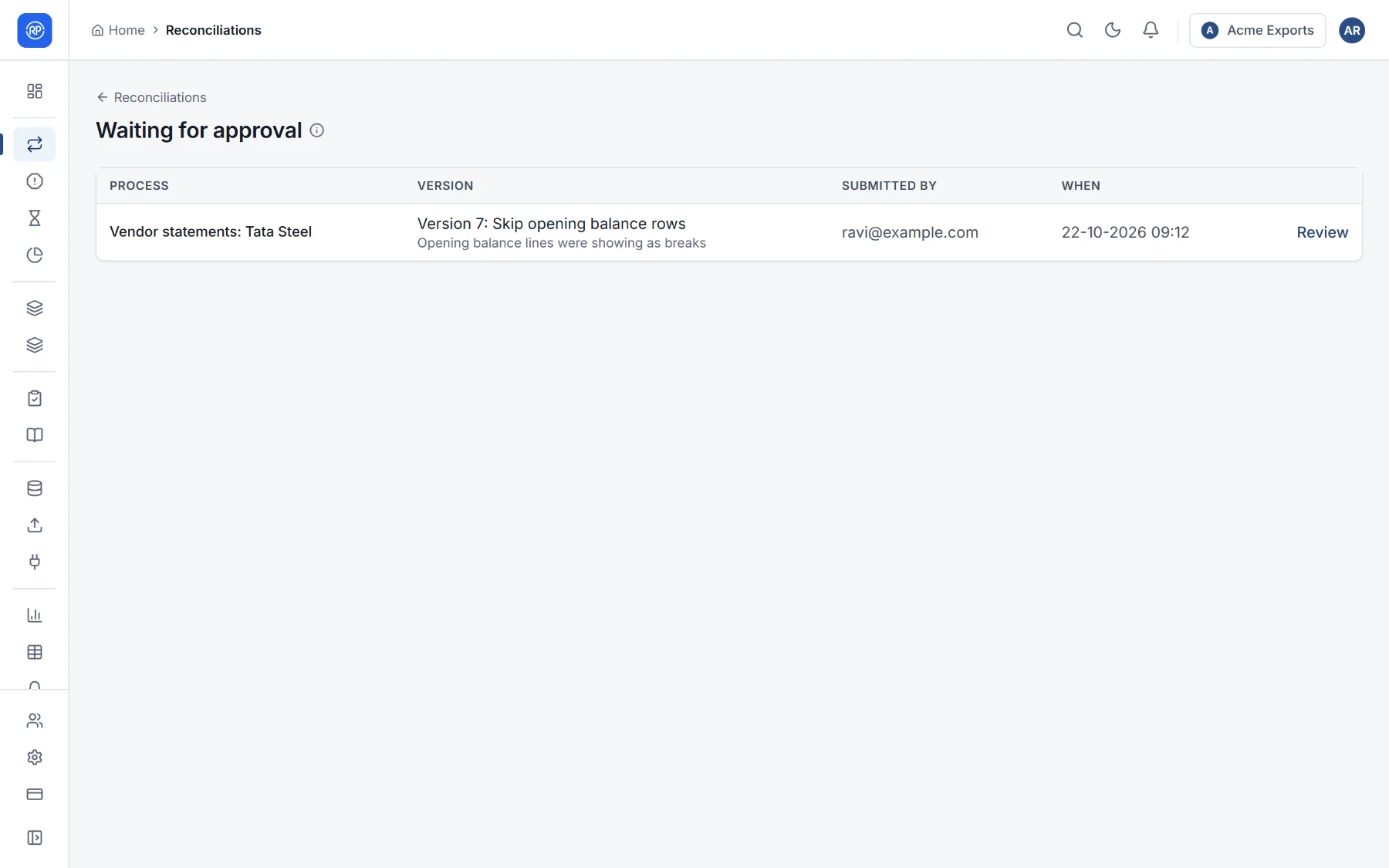
Open it, read its note and its differences, then:
- Approve: it goes live; runs use it from now on, and the live version becomes history.
- Return: it goes back to staging with your reason; whoever submitted it sees why.
The person who submitted a version can withdraw it (it is staging again) while it waits.
When the live version changed in the meantime
Section titled “When the live version changed in the meantime”A staging version is made from one live version. If another change went live since, the staging version is out of date: it would undo that change. RefinePoint says so and offers Bring up to date, which applies your changes on top of the current live version. It must be up to date before it can be approved.
Bringing back an earlier version
Section titled “Bringing back an earlier version”Select any version in History and choose Bring back: its set-up becomes a new staging version, published (and approved) like any other. Nothing is lost: the version you replace goes to history.
Discard throws a staging version away. The live version is not affected.
Switching approval on
Section titled “Switching approval on”In Settings → Change control (owners and admins only):
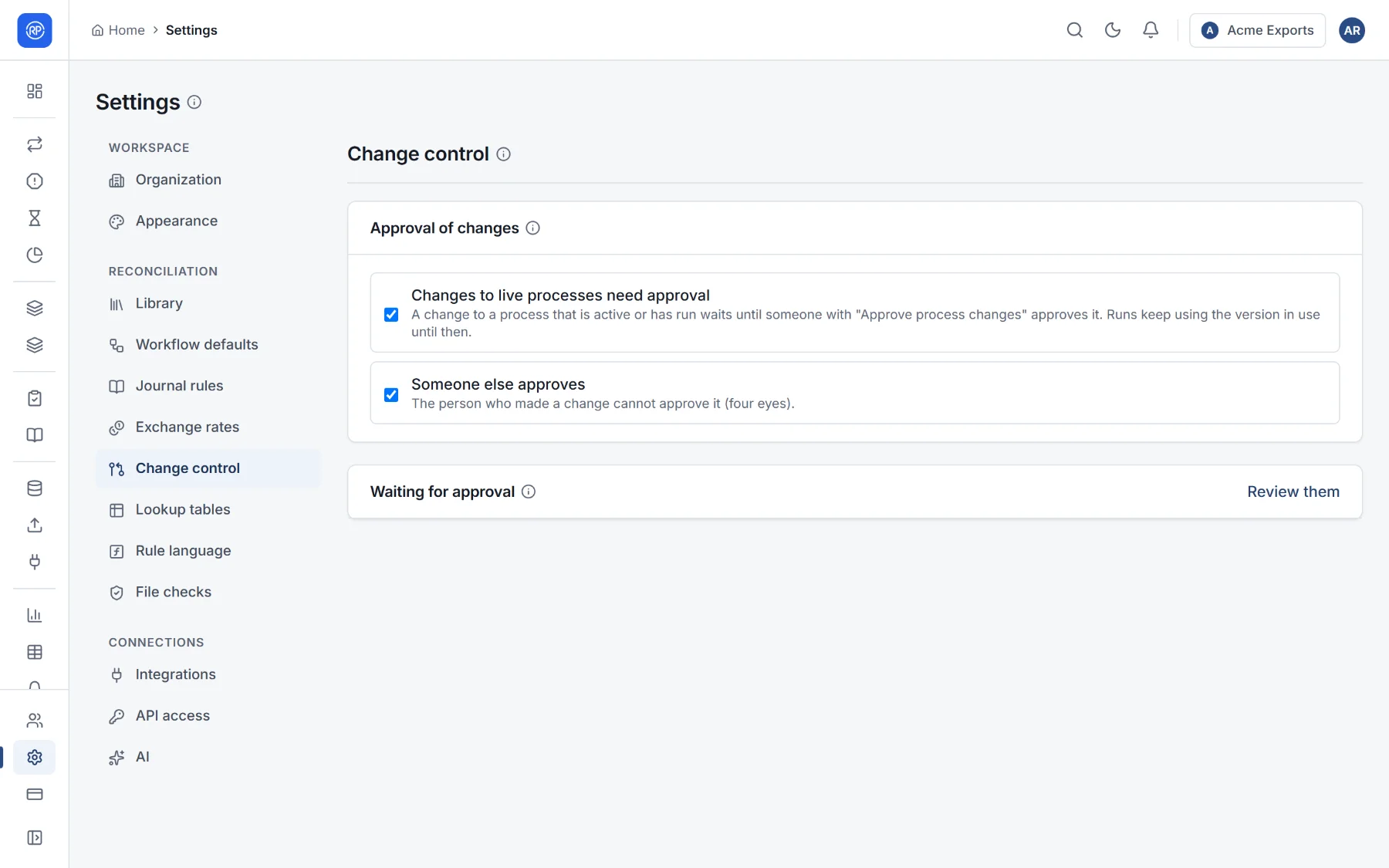
- Changes to live processes need approval: publishing submits instead of going live.
- The person who made a change cannot approve it (four eyes).
The same page lists every version waiting for approval across the workspace.