
Reason codes
Every month, some differences are expected: bank charges that are not in the books yet, timing differences at the month end, rounding. A reason code names such a difference and gives a rule to recognise it. Breaks that fit get the code, and can be cleared automatically, so your team spends its time on the differences that are genuinely new.
Reason codes are set up in step 6 of the designer.
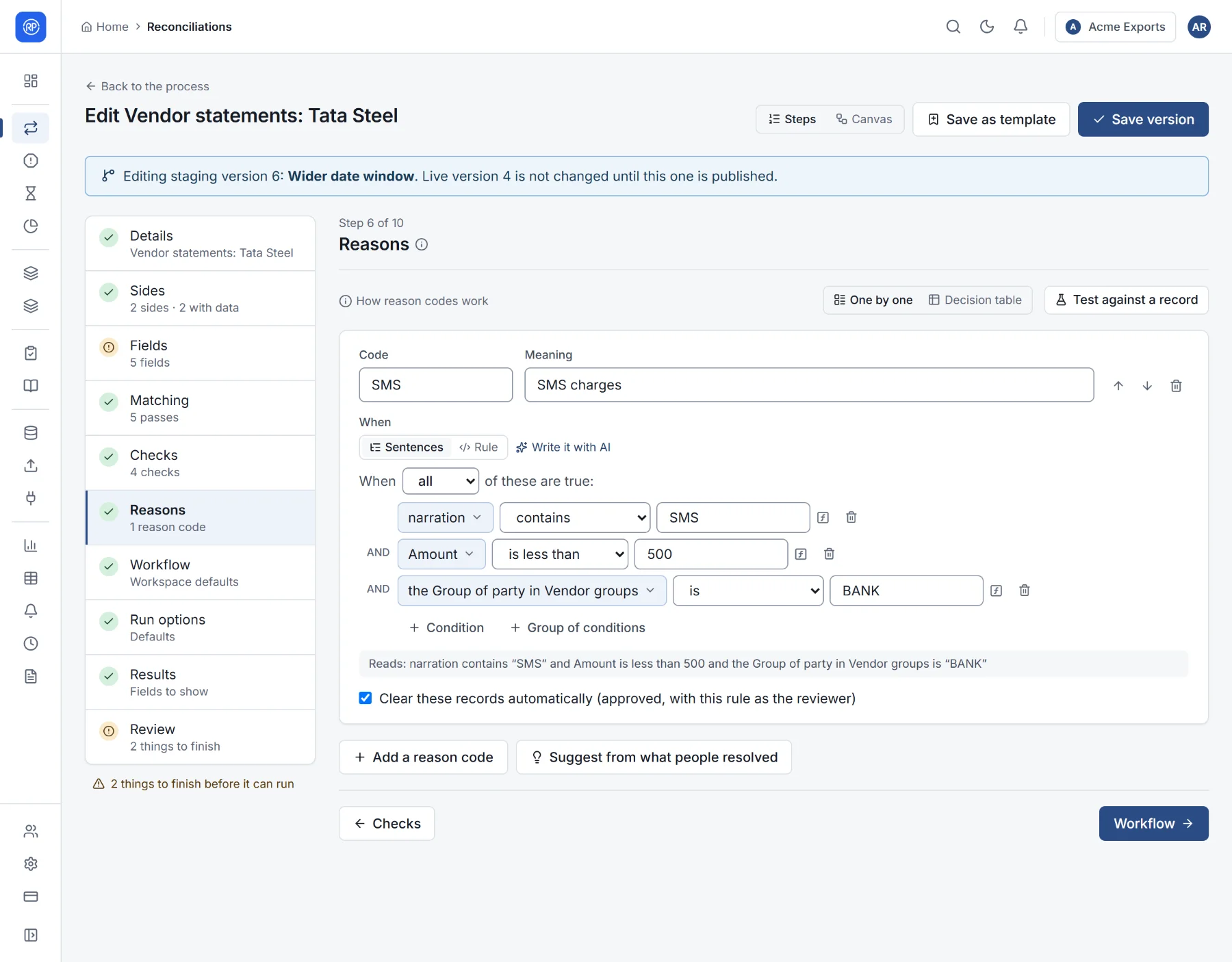
How reason codes work
Section titled “How reason codes work”- Each reason code has a code (short, such as
SMS), a meaning (SMS charges), and a condition. - After each run, the codes are tried top to bottom. The first whose condition holds on any row of a break gives the break its code.
- Conditions can use the record’s fields, its side, its status (matched, partly matched…) and its break cause (Amount differs, No counterpart…).
- Clear these records automatically marks breaks with that code as approved, with the rule recorded as the reviewer. They then no longer need anyone’s attention, and the audit trail shows why.
Adding a reason code
Section titled “Adding a reason code”- Choose Add a reason code.
- Give it a code and a meaning.
- Build its condition under When: choose all, any or none of these are true, and add sentences such as narration contains SMS, Amount is less than 500. Use Group of conditions to mix all and any. The line under the condition reads it back in plain English so you can check it.
- Tick Clear these records automatically if breaks with this code need no review.
- Order the codes with the arrows: put the most specific first.
You can also write the condition as a rule (switch from Sentences to Rule), or let the AI write it with Write it with AI. See Writing rules and The AI rule builder.
Seeing all codes at once: the decision table
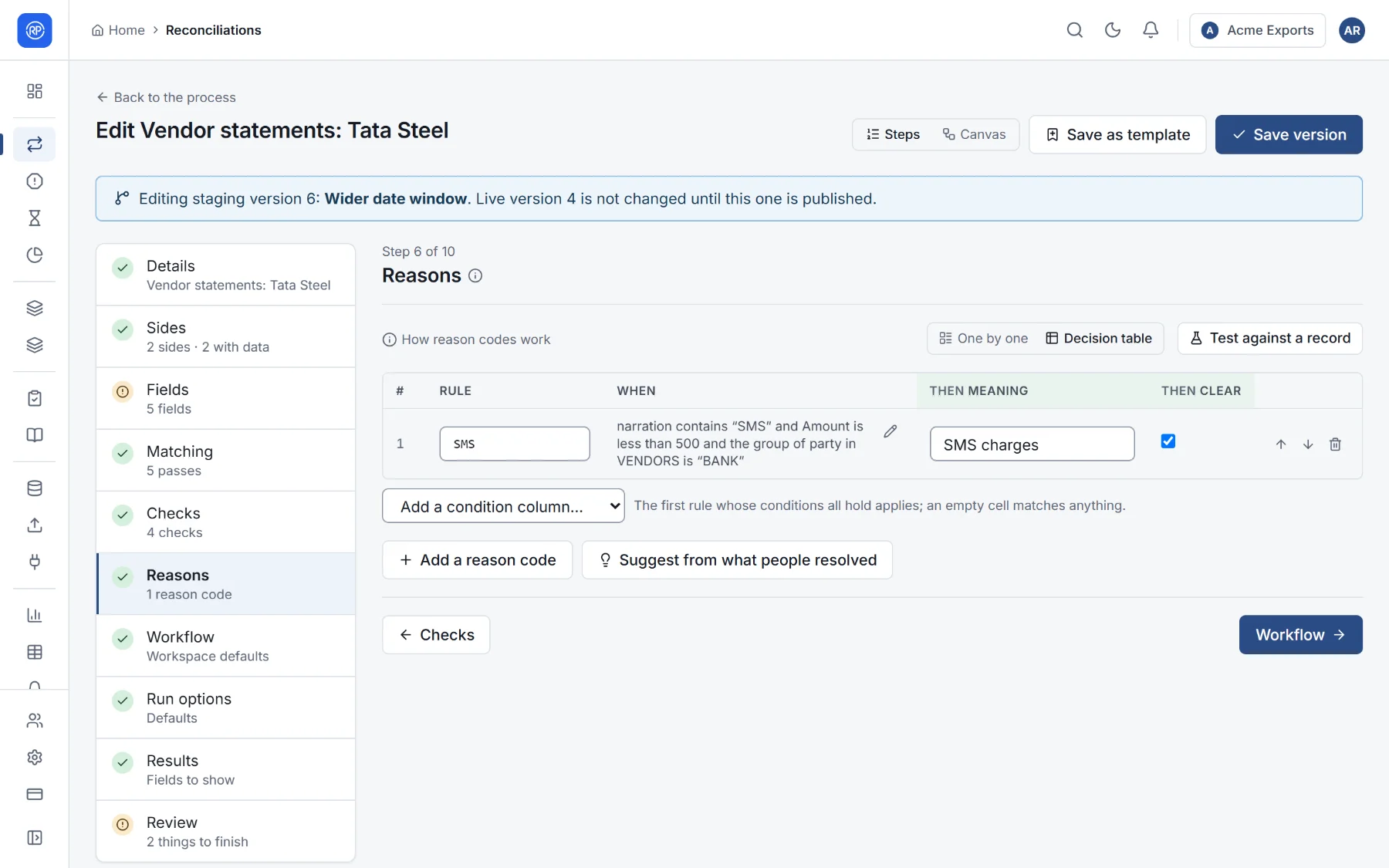
Section titled “Seeing all codes at once: the decision table”One by one and Decision table switch between editing codes one at a time and seeing them all in a table, one row per code: its condition, its meaning, and whether it clears records. The table is easier to scan when you have many codes.
Testing against a record
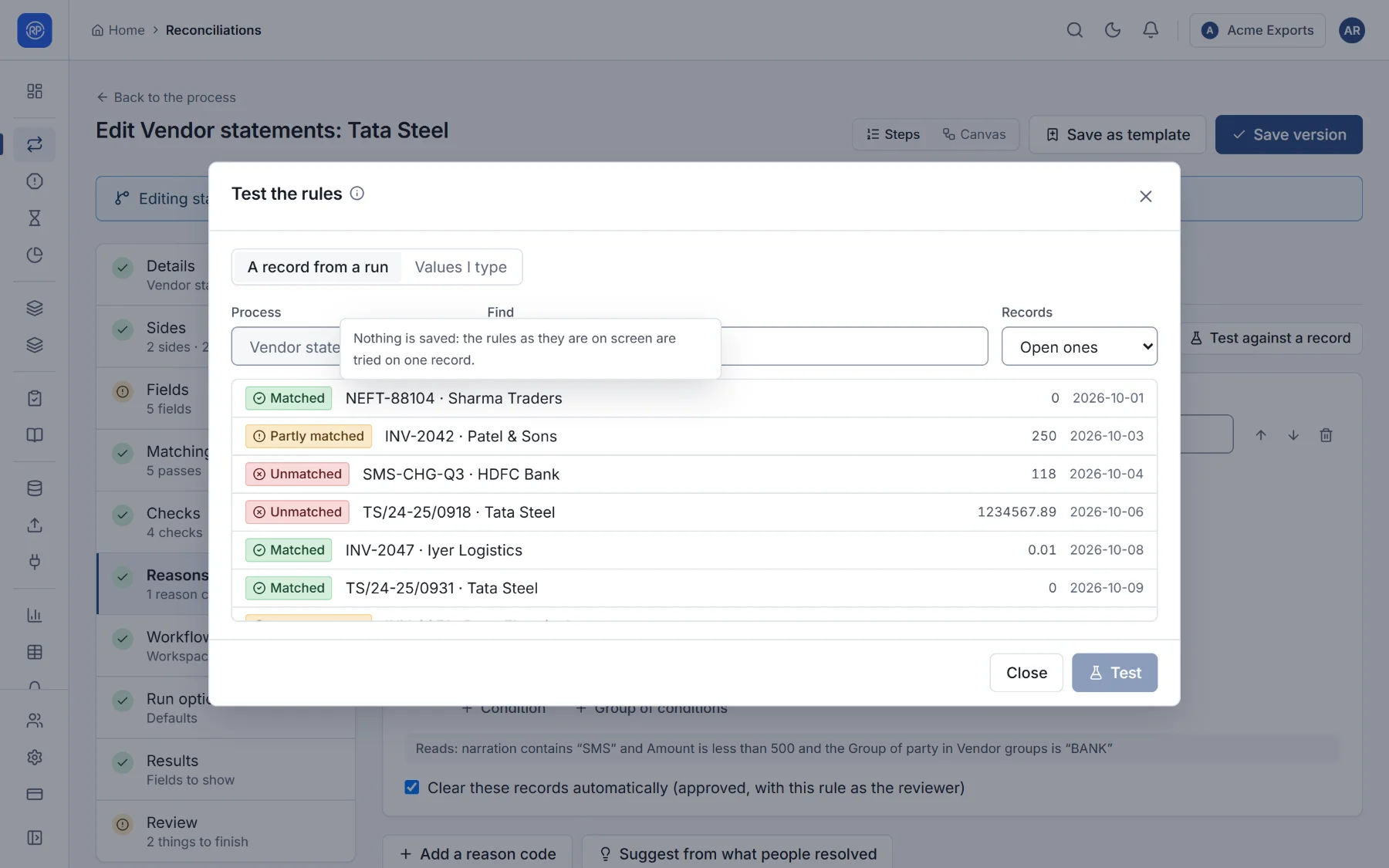
Section titled “Testing against a record”Test against a record tries every reason code on a real record from a past run, or on sample values you type, and shows which codes hold and which one would be given. Use it before saving, so you know a new code catches what you meant and nothing else.
Suggestions from what people resolved
Section titled “Suggestions from what people resolved”Suggest from what people resolved looks at breaks your team resolved by hand and proposes reason codes for the kinds that keep coming back. It needs at least three similar records that people resolved, and few like them that matched on their own. Review a suggestion, then Add it or Add, clearing automatically.