
Evidence packs
An evidence pack is what you hand an auditor to show that a reconciliation was done, by whom, and how every difference was dealt with. It covers one reconciliation and one period, for example September 2026, and it is made when you ask for it from what RefinePoint recorded at the time.
Download one
Section titled “Download one”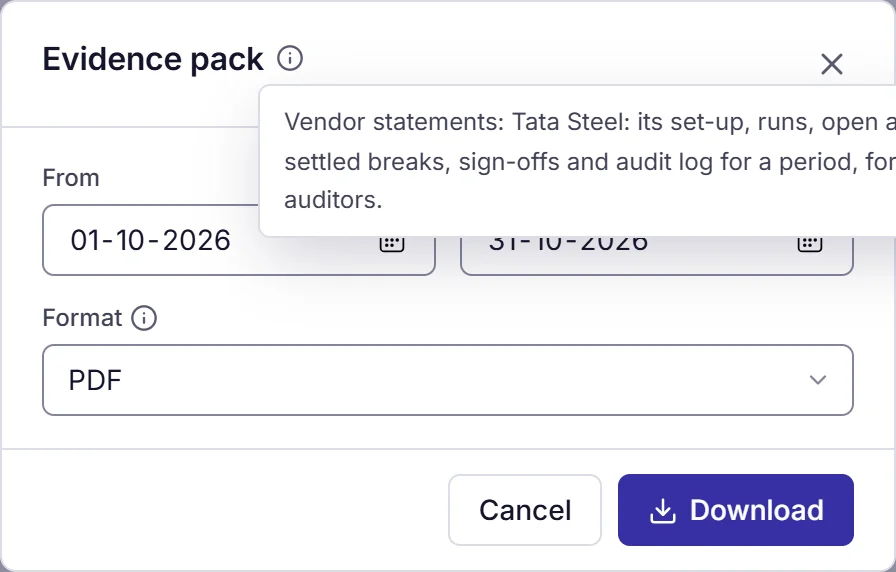
- Open the reconciliation and choose Evidence pack. On a certification in Close, the same button is at the top and starts with that period’s dates.
- Choose the From and To dates. It starts with last month.
- Choose PDF, or ZIP to also get the break lists as CSV files.
- Choose Download.
You need the Export evidence packs permission on that reconciliation. Owners and admins always have it; other roles get it from Roles and permissions.
What is in the PDF
Section titled “What is in the PDF”| Section | What it shows |
|---|---|
| Cover | Workspace, reconciliation, period, who made the pack and when, and the counts below |
| 1. Set-up | The version in force at the end of the period and when it was published, its sides, matching passes, checks and reason codes, and the versions published |
| 2. Runs | Each run started in the period: who or what started it, the version it used, matched, partly matched and unmatched counts, match rate, and the result of every check |
| 3. Breaks open at the end | Breaks found before the period ended and not settled by then, with how long each had been open, and totals by age (0-30, 31-60, 61-90, 91+ days) |
| 4. Breaks settled | Breaks settled in the period: how (matched by a later run, cleared by a rule, resolved by a person), the reason, who resolved it, who approved it when a second person is needed, and the comments on it |
| 5. Close sign-offs | The certifications in the period for accounts reconciled by this reconciliation, with who prepared, reviewed and approved each and when |
| 6. Audit log | The audit log entries for the reconciliation and its runs in the period |
The ZIP adds breaks-open-at-end.csv, breaks-settled.csv, runs.csv and audit-log.csv. Long lists are cut in the PDF
(the first 1,000 rows) and complete in the CSV files.