
Notifications and downloads
RefinePoint tells you when something you started finishes, so you don’t have to wait on a page. Notifications are in the bell in the top bar; the number on it is how many you have not read yet.
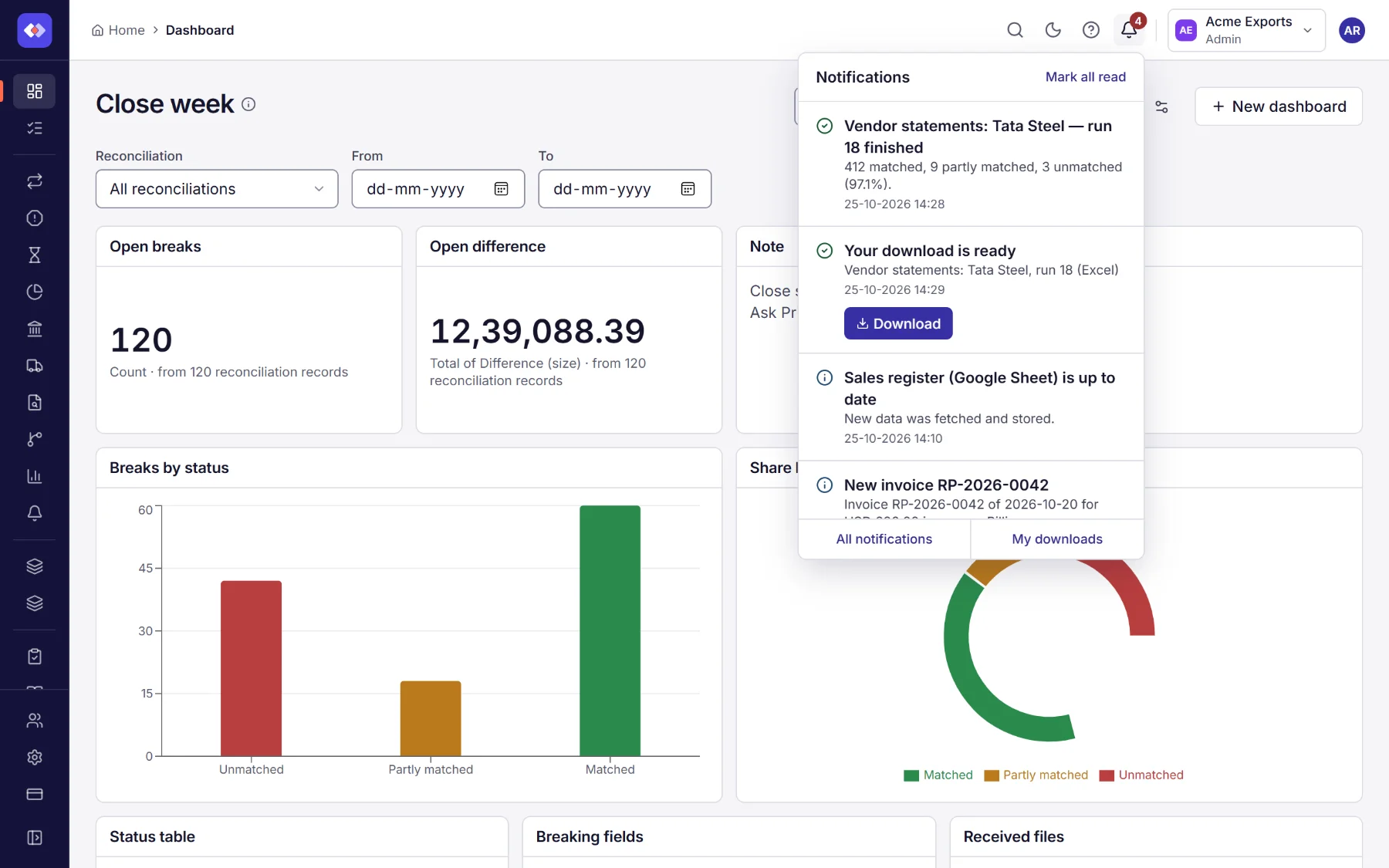
What you are told about
Section titled “What you are told about”| Notification | Who gets it | Selecting it opens |
|---|---|---|
| A run finished (with how many records matched) or failed (with why) | The person who started the run with Reconcile now. Scheduled and file-triggered runs tell nobody here; use Alerts for those. | The run’s data, or its history when it failed |
| Your download is ready or could not be prepared | Everyone who asked for that file | My downloads |
| A data source is up to date (new data, or nothing changed) or could not be refreshed (with why) | Everyone who chose Refresh now while it waited or ran | The data source |
| A new invoice from RefinePoint | The workspace’s owners and admins | Billing, Invoices |
Notifications belong to the workspace they are about: switch workspace to see another workspace’s.
Reading and clearing them
Section titled “Reading and clearing them”- The list shows unread notifications only, newest first.
- Select one to open what it is about; it is marked read and leaves the list.
- Mark all read clears the list.
- A ready download has a Download button, so you can save the file without leaving the page.
New notifications arrive as they happen, without reloading the page: the number on the bell goes up and a short message appears at the bottom of the screen. If the connection drops (a laptop asleep, a train tunnel), RefinePoint reconnects on its own and catches up.
My downloads
Section titled “My downloads”A run’s records are downloaded in the background: choose Download on a reconciliation’s page, pick CSV or Excel, and carry on working. When the file is ready you get a notification. If someone already asked for the same run’s records in the same format, the file is ready at once.
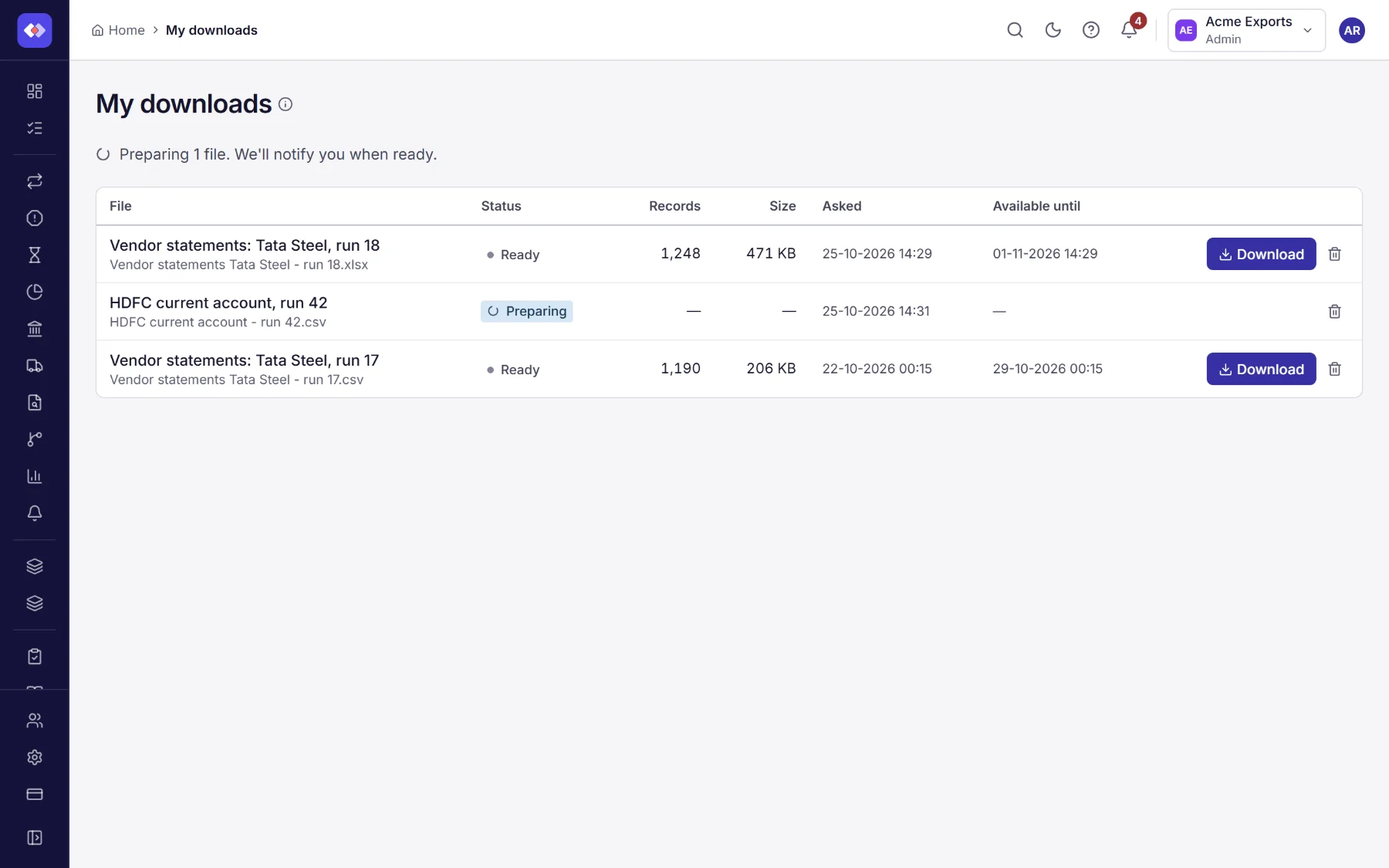
My downloads (from the bell, or your profile menu) lists the files you asked for: ready to save, being prepared, or failed with the reason. Files are kept for 7 days; the list keeps your downloads for 30 days.